
Salesforce Debug Log viewer Chrome 插件, crx 扩展下载
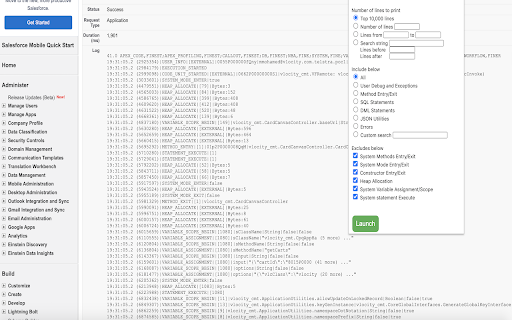
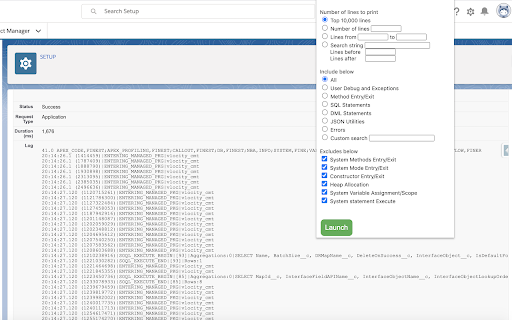
Search and view the filtered Salesforce debug logs
Productivity tool allowing the Salesforce/Vlocity developers and administrators to filter the Salesforce debug logs.
- The tool can be used for any log file viewed from the Salesforce 'Debug Logs' screen
- Allows for filtering the number of lines instead of having to navigate through entire logs
- String based search and return of lines before and after the line of interest
- Include/option based of type of logs of interest Eg: User Debug statements
- Custom search within the log file specific string match
- Filtering options to exclude detailed logging statements especially System Entry/Exit, Heap Allocation etc
- Display Salesforce governor limits usage from logs
- Tool has been tested for files up to 20MB in size (generally the maximum size for Salesforce debug logs)
- Log file is not required to be downloaded
| 分类 | 📝工作流程与规划 |
| 插件标识 | hkjclebibhoolmdkpahfndidllgbkalg |
| 平台 | Chrome |
| 评分 |
☆☆☆☆☆
|
| 评分人数 | |
| 插件主页 | https://chromewebstore.google.com/detail/salesforce-debug-log-view/hkjclebibhoolmdkpahfndidllgbkalg |
| 版本号 | 1.250 |
| 大小 | 24.87KiB |
| 官网下载次数 | 1000 |
| 下载地址 | |
| 更新时间 | 2020-06-13 00:00:00 |
CRX扩展文件安装方法
第1步: 打开Chrome浏览器的扩展程序
第2步:
在地址栏输入: chrome://extensions/
第3步: 开启右上角的【开发者模式】
第4步: 重启Chrome浏览器 (重要操作)
第5步: 重新打开扩展程序管理界面
第6步: 将下载的crx文件直接拖入页面完成安装
注意:请确保使用最新版本的Chrome浏览器