
Sistrix Visibility and Metrics Checker Chrome 插件, crx 扩展下载
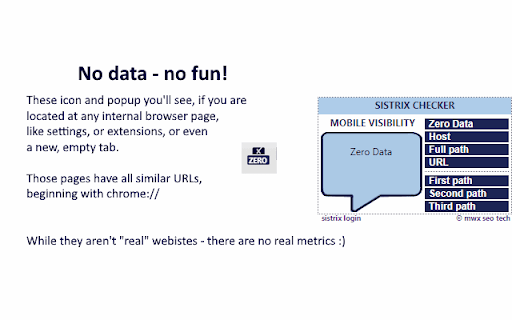
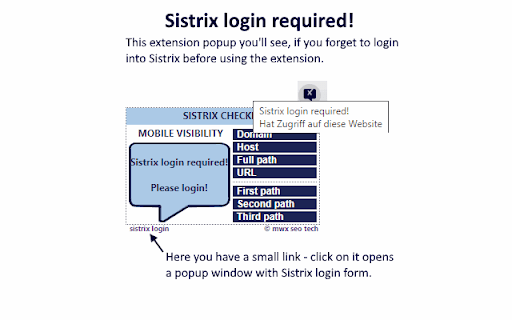
On-the-fly check of Sistrix mobile visibility. Single-click access to country-based Sistrix metrics. Works only for Sistrix clients.
??????? ?????????? ??? ??????? ???????
Do you know Sistrix? I use it everyday in my work. Sistrix is an outstanding SEO tool. It has many different functions and options. But the most important one: it makes the web comparable. In the meanwhile in 30 countries.
Disclaimer: this extension works only for Sistrix clients!
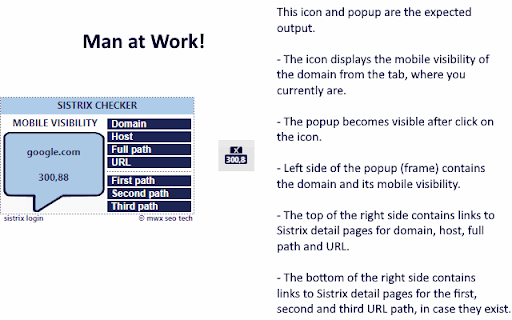
It checks on-the-fly Sistrix mobile visibility of every domain you are on. (Yes, i was thinking about which metric should i take, and maybe desktop, or maybe both. But, finally i decided to take only the mobile visibility, because Google will never come back to "desktop first" paradigm).
Beside of mobile visibility, it prepares for you direct links to Sistrix main metric pages, like domain, host, path (until three path steps, if applies). Links are placed in the popup opening after click on the icon in the extension bar.
*How it works*
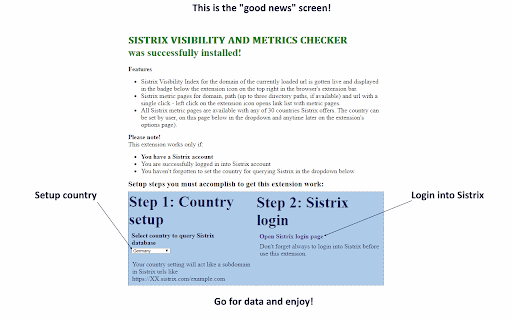
Next after installation you see a welcome screen, where you should select your preferred country. This setting will be used for querying of visibility and maintaining direct links to the metric pages.
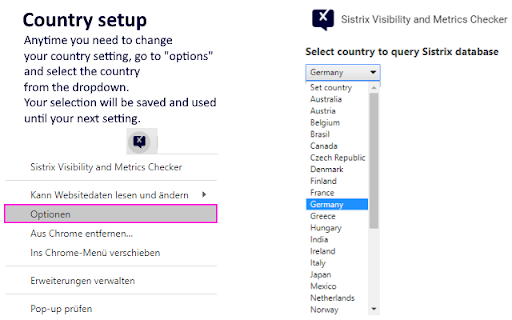
The country setting you are able to change at any time accessing it from extension's option page.
On the same screen you have the ability to login into Sistrix, if not yet. Sistrix login form will be opened in a popup window.
Note!
- If you don't set a country the fallback (Germany) will be in use, until you set any other country.
- If you don't login into Sistrix, the badge on the extension icon remains empty, its tooltip and the popup will notify you with a message "Sistrix login required!" The ability to login into Sistrix you have from the popup too.
Happy surfing!
| 分类 | 📝工作流程与规划 |
| 插件标识 | hlkakocgifapcfonagcajlilcjjhdpdc |
| 平台 | Chrome |
| 评分 |
☆☆☆☆☆
|
| 评分人数 | |
| 插件主页 | https://chromewebstore.google.com/detail/sistrix-visibility-and-me/hlkakocgifapcfonagcajlilcjjhdpdc |
| 版本号 | 25.2.3.0 |
| 大小 | 83.0KiB |
| 官网下载次数 | 142 |
| 下载地址 | |
| 更新时间 | 2023-06-18 00:00:00 |
CRX扩展文件安装方法
第1步: 打开Chrome浏览器的扩展程序
第2步:
在地址栏输入: chrome://extensions/
第3步: 开启右上角的【开发者模式】
第4步: 重启Chrome浏览器 (重要操作)
第5步: 重新打开扩展程序管理界面
第6步: 将下载的crx文件直接拖入页面完成安装
注意:请确保使用最新版本的Chrome浏览器