
Memslate Chrome 插件, crx 扩展下载

Memslate > Memorize your Translations
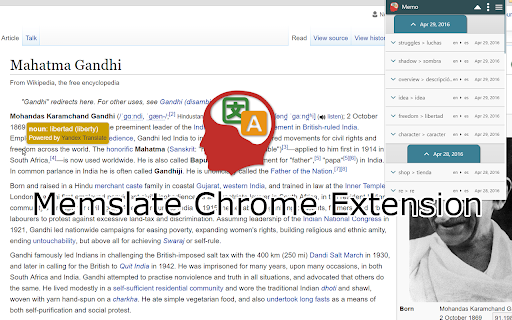
The Memslate Chrome Extension is able to translate on-the-fly words or phrases from the web page you are visiting when you point to or click on it.
So you can mouse over or click on a word or on a selected phrase and Memslate will translate it and will show you a little tooltip (dialog) with the translated text.
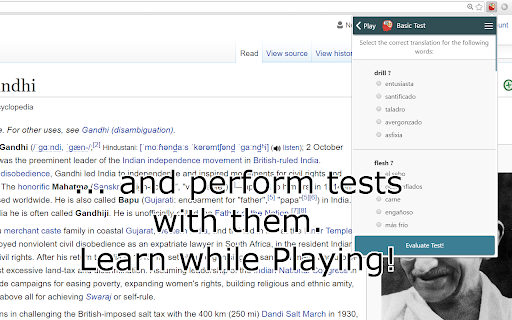
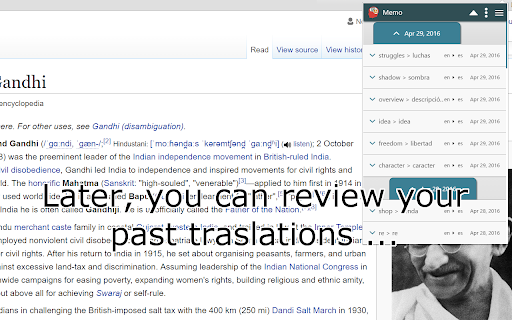
Besides this translation is saved anonymously or per user if you are logged in to https://memslate.com and you can review it later on the Memo panel or play a simple memorization game on the Play panel.
How does it works?
* Translate: Memslate is able to translate form and to multiple languages. Translations include multiple exceptions and phonetic transcription.
* Memorize: Memslate keeps track of your translations. You can order, filter and review them whenever you want in order to memorize them.
* Play: And finally Memslate can perform tests, based on your previous translations. The tests are performed in order to help you memorize them. Learn while playing!
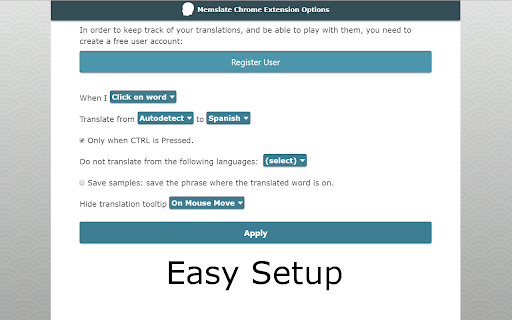
If you register a free Memslate account you can share your translations across multiple devices, review and play with them. Otherwise you will be translating anonymously. Anonymous translations are deleted every day.
Powered by LibreTranslate.
| 分类 | 👥社交 |
| 插件标识 | hmdilmnmaojnnoddpljfenbinlfjlibg |
| 平台 | Chrome |
| 评分 |
☆☆☆☆☆
|
| 评分人数 | |
| 插件主页 | https://chromewebstore.google.com/detail/memslate/hmdilmnmaojnnoddpljfenbinlfjlibg |
| 版本号 | 3.128.4 |
| 大小 | 2.15MiB |
| 官网下载次数 | 145 |
| 下载地址 | |
| 更新时间 | 2023-03-08 00:00:00 |
CRX扩展文件安装方法
第1步: 打开Chrome浏览器的扩展程序
第2步:
在地址栏输入: chrome://extensions/
第3步: 开启右上角的【开发者模式】
第4步: 重启Chrome浏览器 (重要操作)
第5步: 重新打开扩展程序管理界面
第6步: 将下载的crx文件直接拖入页面完成安装
注意:请确保使用最新版本的Chrome浏览器