
PlayTheInternet Chrome 插件, crx 扩展下载
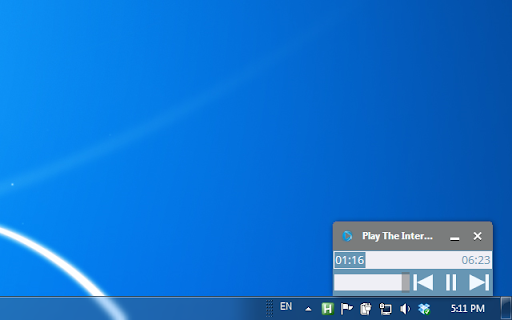

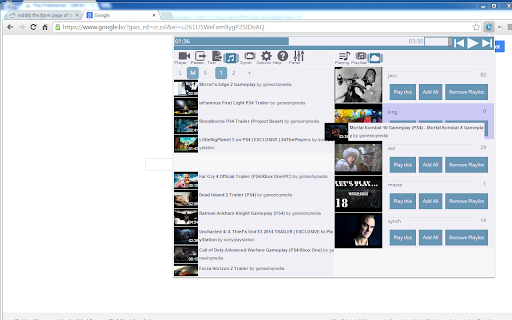

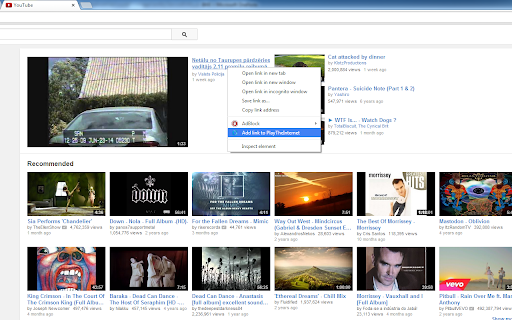
Add YouTube, SoundCloud, Vimeo music from any web page to playlist. Listen, aggregate, synchronize between PCs and share.
PlayTheInternet is all about discovering and listening to new music on the web.
It allows you to seamlessly add songs "directly" from web page to either local or synchronized playlists and has a bunch of ways to control the player.
FEATURES**************************
SUPPORTED PLAYERS
• YouTube
• SoundCloud
• Vimeo
LOCAL AND SYNCHRONIZED PLAYLIST DIFFERENCE
• synchronized playlists has a limit of ~250 youtube, vimeo videos and less for soundcloud songs
• local playlists does not have this limit but are bound to particular PC
PLAYLIST FEATURES
• drag and drop songs between playlists
• multiselect songs(use CTRL+Click to unselect song)
HOTKEYS
• play/pause toggle, play, pause, next, previous, open panel
• hotkeys can be set either as chrome or global hotkeys
PANEL
• is an experimental feature and should be enabled first(follow instructions in extension to enable panels)
• is a window outside of chrome frame making it convenient to control player
• can stick to taskbar
• can be minimized, will appear when mouse cursor is approaching
CONTEXT MENU
• add songs to current playlist through chrome context menu
• add a link, whole page, selected text
*********************************
Steps to create and play your first playlist:
1) Click on PlayTheInternet icon when browsing your favorite sites(Facebook, reddit, etc..) - all the songs should appear in "Parsed" playlist
2) drag&drop songs from "Parsed" playlist to the "Playing" playlist on the right
3) click on thumbnail to start playing
Check out videos below on what this beast is capable of ;)
https://www.youtube.com/watch?v=Zf7jhuCR-VI&list=PLneVFLAzmtBZY4iUZxMmW176eDKN_L9WQ
| 分类 | 🎉趣味休闲 |
| 插件标识 | hnldgcnkcblfbpdjjciadigkjkhkkohk |
| 平台 | Chrome |
| 评分 |
☆☆☆☆☆
|
| 评分人数 | |
| 插件主页 | https://chromewebstore.google.com/detail/playtheinternet/hnldgcnkcblfbpdjjciadigkjkhkkohk |
| 版本号 | 3.0.0.18 |
| 大小 | 673KiB |
| 官网下载次数 | 203 |
| 下载地址 | |
| 更新时间 | 2019-03-09 00:00:00 |
CRX扩展文件安装方法
第1步: 打开Chrome浏览器的扩展程序
第2步:
在地址栏输入: chrome://extensions/
第3步: 开启右上角的【开发者模式】
第4步: 重启Chrome浏览器 (重要操作)
第5步: 重新打开扩展程序管理界面
第6步: 将下载的crx文件直接拖入页面完成安装
注意:请确保使用最新版本的Chrome浏览器