
Bruce's Blank New Tab Chrome 插件, crx 扩展下载
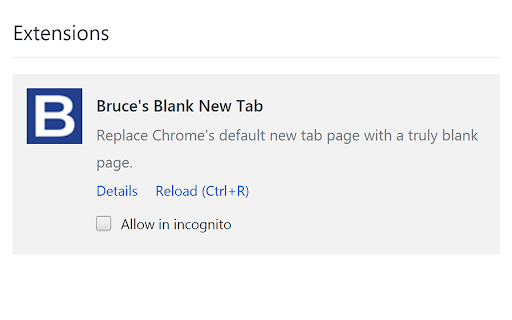
Replace Chrome's default new tab page with a truly blank page.
Bruce's Blank New Tab (BBNT) replaces Google Chrome's default new tab page with a truly blank page. No ads, no history, no browsing trackers -- just a blank new page with nothing in it so it loads super fast.
After you install and enable BBNT, you can also enable Chrome to open to a blank new tab whenever you launch Chrome. (To do this, go to your Chrome settings page > and in the "On startup" section, enable "Open New Tab page.")
You can also set Chrome's home screen to use the new tab page so your home screen will also be a clean, blank page. (To do this, go to your Chrome settings page > enable "Show Home button" > and select "New Tab page" as your home screen.)
You can confirm there is nothing lurking in your new tabs by right-clicking within any new tab page and selecting "view source." You will then see the minimal html used to provide the blank page.
If you ever want to return to Chrome's standard new tab page, simply disable BBNT in your Extensions settings page.
Enjoy!
| 分类 | 📝工作流程与规划 |
| 插件标识 | hoeaccjjnmfdfnllgmfhibablifeckoj |
| 平台 | Chrome |
| 评分 |
☆☆☆☆☆
|
| 评分人数 | |
| 插件主页 | https://chromewebstore.google.com/detail/bruces-blank-new-tab/hoeaccjjnmfdfnllgmfhibablifeckoj |
| 版本号 | 1.1.9 |
| 大小 | 15.13KiB |
| 官网下载次数 | 139 |
| 下载地址 | |
| 更新时间 | 2017-05-22 00:00:00 |
CRX扩展文件安装方法
第1步: 打开Chrome浏览器的扩展程序
第2步:
在地址栏输入: chrome://extensions/
第3步: 开启右上角的【开发者模式】
第4步: 重启Chrome浏览器 (重要操作)
第5步: 重新打开扩展程序管理界面
第6步: 将下载的crx文件直接拖入页面完成安装
注意:请确保使用最新版本的Chrome浏览器