
ePub Viewer Chrome 插件, crx 扩展下载
A powerful, modern, and easy-to-use web app for reading ebooks
Date 06/10/2023 - Extension is free!!
Release 3.1.1 - Removed unnecessary permissions
Release 3.1.0 - Fixed bug to load icons in offline mode
Release 3.0.0
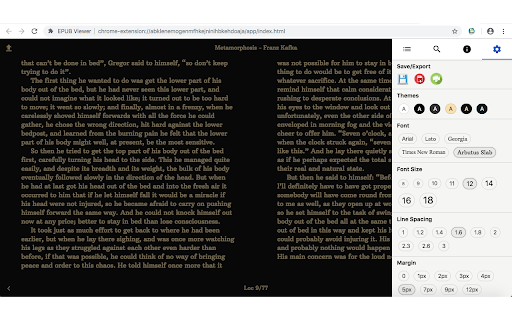
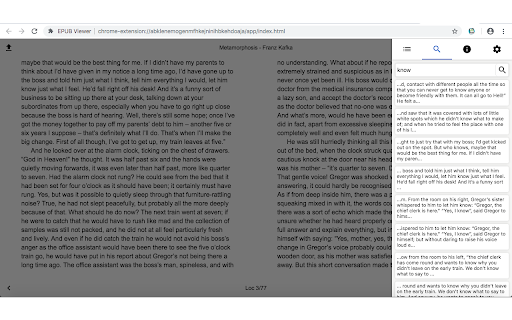
ePub viewer webapp with dictionary*, themes, search, and more...
======
* To consult the dictionary simply select the single word of the book and automatically open a pop-up with the definition. The dictionary function is active only online
======
- Modern, responsive UI
- Themes, fonts, line spacing, margins, font size settings
- Search panel
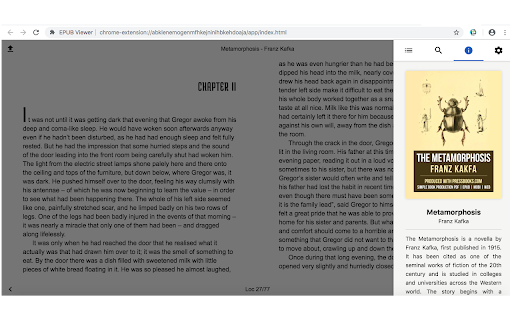
- About view
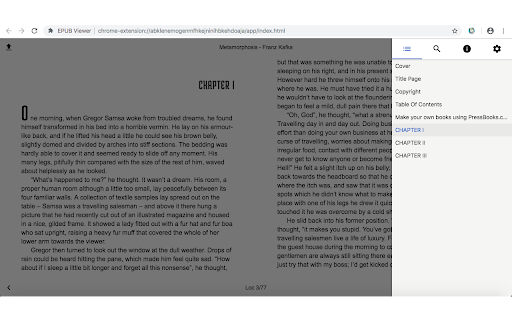
- Go to page or chapter
- Location numbers
- and more...
======
Important notation: to open the web application, simply click on the extension icon at the top right of the browser, located next to the address bar.
======
The ePUB Viewer/Reader is Chrome extension and web app which enables reading ePub-files just in the browser.
Main Features:
- open in home page your ePubs with click and select file from your file system;
- ebook index consultation;
- panels to advanced settings to choose font size, themes and more;
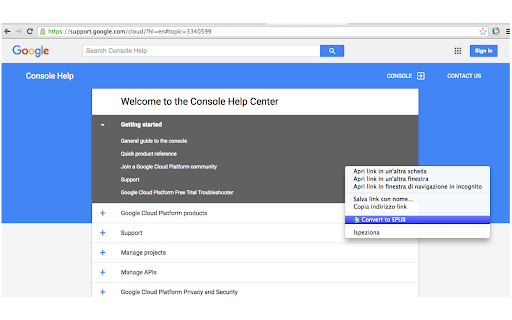
- convert web page or online pdf to ePUB with online tools using context menu;
- export page or chapter as html or pdf format
- cloud print or save page or chapter to Google Drive
| 分类 | ♿无障碍访问 |
| 插件标识 | hofephhkknhfjphbcggfdjaohefcfohm |
| 平台 | Chrome |
| 评分 |
☆☆☆☆☆
|
| 评分人数 | |
| 插件主页 | https://chromewebstore.google.com/detail/epub-viewer/hofephhkknhfjphbcggfdjaohefcfohm |
| 版本号 | 5.1.0 |
| 大小 | 988KiB |
| 官网下载次数 | 132 |
| 下载地址 | |
| 更新时间 | 2023-10-07 00:00:00 |
CRX扩展文件安装方法
第1步: 打开Chrome浏览器的扩展程序
第2步:
在地址栏输入: chrome://extensions/
第3步: 开启右上角的【开发者模式】
第4步: 重启Chrome浏览器 (重要操作)
第5步: 重新打开扩展程序管理界面
第6步: 将下载的crx文件直接拖入页面完成安装
注意:请确保使用最新版本的Chrome浏览器