
Video Compressor Chrome 插件, crx 扩展下载
支持超过1000种格式,在线转换、压缩、编辑视频,音频,图像文件。
Video Compressor
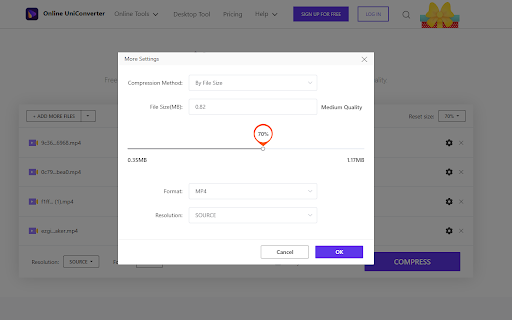
Online UniConverter allows you to compress video, reduce video file size online for free without losing quality. The compressed files can be saved to Dropbox or downloaded directly.
How to compress video?
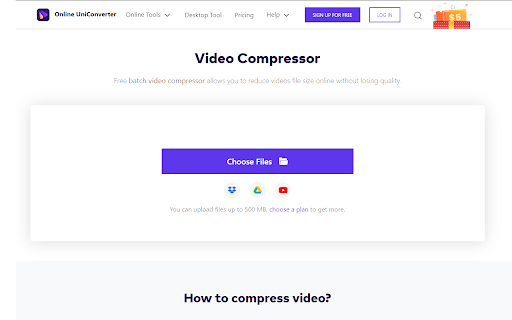
Step 1. Click the Video Compressor extension icon and select Video Compressor. It will open an online video compressor tool.
Step 2. Drag and drop or click the + icon to import video files you want to compress.
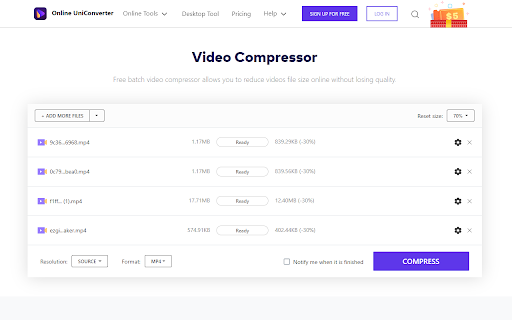
Step 3. Choose an output format like MP4 from the Convert all files to > Video tab.
Step 4. Hit the CONVERT button to start the video compression process.
Step 5. Click the DOWNLOAD or Save to Dropbox button to get the compressed files.
| 分类 | 📝工作流程与规划 |
| 插件标识 | homcnjdjgbccodplgdpdjfijjjdecbln |
| 平台 | Chrome |
| 评分 |
☆☆☆☆☆
|
| 评分人数 | |
| 插件主页 | https://chromewebstore.google.com/detail/video-compressor/homcnjdjgbccodplgdpdjfijjjdecbln |
| 版本号 | 6.2.0 |
| 大小 | 63.81KiB |
| 官网下载次数 | 9000 |
| 下载地址 | |
| 更新时间 | 2021-10-26 00:00:00 |
CRX扩展文件安装方法
第1步: 打开Chrome浏览器的扩展程序
第2步:
在地址栏输入: chrome://extensions/
第3步: 开启右上角的【开发者模式】
第4步: 重启Chrome浏览器 (重要操作)
第5步: 重新打开扩展程序管理界面
第6步: 将下载的crx文件直接拖入页面完成安装
注意:请确保使用最新版本的Chrome浏览器