
glines chrome extension Chrome 插件, crx 扩展下载
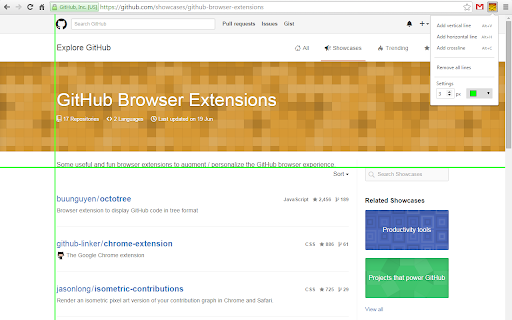
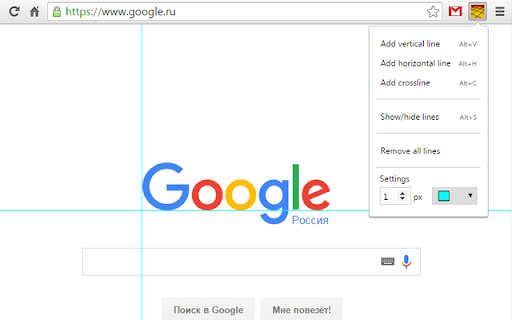
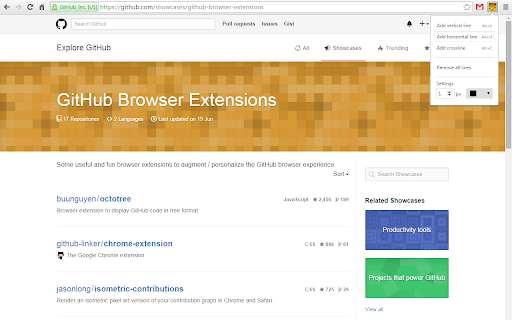
Simple tool for easy markup testing with photoshop-like guides
This tool adds photoshop-like guides to the page that makes alignment of blocks easier.
How to use:
1. Click on plugin button at Chrome panel
2. Use dropdown menu or shortcuts to add lines
3. Move lines using mouse or keyboard arrows
4. Drag lines with Ctrl to clone them
5. Delete lines by double click, or remove all using menu
There are some predefined shortcuts:
1. Alt+V to add vertical line
2. Alt+H to add horizontal line
3. Alt+C to add crossline
4. Alt+S to show/hide lines
Release notes
[Nov 23, 2015]
Small improvement: show/hide lines behavior is now more photoshop-like.
[Nov 09, 2015]
Now you can quickly show/hide guides using extension menu or "Alt+S" shortcut.
[Oct 30, 2015]
Now extension can ask to allow local files access.
Guide default style is totally photoshop-like.
Small bugfixes.
| 分类 | 💻开发者工具 |
| 插件标识 | hplhjkmgokoamhihlfgaddljbippfeje |
| 平台 | Chrome |
| 评分 |
☆☆☆☆☆
|
| 评分人数 | |
| 插件主页 | https://chromewebstore.google.com/detail/glines-chrome-extension/hplhjkmgokoamhihlfgaddljbippfeje |
| 版本号 | 1.5.0 |
| 大小 | 55.27KiB |
| 官网下载次数 | 76 |
| 下载地址 | |
| 更新时间 | 2015-11-23 00:00:00 |
CRX扩展文件安装方法
第1步: 打开Chrome浏览器的扩展程序
第2步:
在地址栏输入: chrome://extensions/
第3步: 开启右上角的【开发者模式】
第4步: 重启Chrome浏览器 (重要操作)
第5步: 重新打开扩展程序管理界面
第6步: 将下载的crx文件直接拖入页面完成安装
注意:请确保使用最新版本的Chrome浏览器