
Dezoomify Chrome 插件, crx 扩展下载

Download zoomable images from web pages
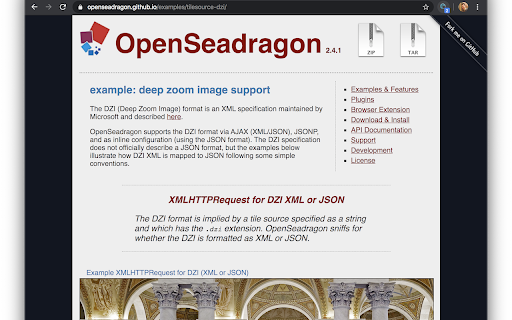
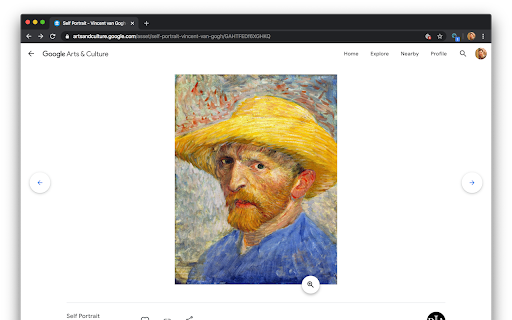
This browser extension detects zoomable images in web pages and allows you to download them. It works with the websites of many different museums, art galleries, libraries, and numerous other sources.
How to use :
- Install the extension
- open a zoomable image in your browser
- click the grey magnifying glass icon in the address bar
- the icon should become blue, denoting that the extension is now actively listening for zoomable image requests
- zoom into the image or reload the page
- if the extension detects zoomable images, you should see a small badge appear over the icon specifying the number of images found
- click the icon to open the image in the dezoomify website
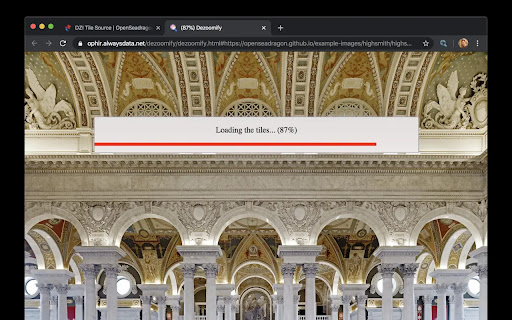
- click "dezoomify", and wait while the image downloads at maximal resolution
- right-click on the downloaded image, and choose "Save As" to save it as a PNG file on your computer
For more information about dezoomify, see:
https://github.com/lovasoa/dezoomify
This addon is a free software. See its source code at:
https://github.com/lovasoa/dezoomify-extension/
| 分类 | 🎨艺术与设计 |
| 插件标识 | iapjjopjejpelnfdonefbffahmcndfbm |
| 平台 | Chrome |
| 评分 |
☆☆☆☆☆
|
| 评分人数 | |
| 插件主页 | https://chromewebstore.google.com/detail/dezoomify/iapjjopjejpelnfdonefbffahmcndfbm |
| 版本号 | 2.3.0 |
| 大小 | 3.6MiB |
| 官网下载次数 | 10000 |
| 下载地址 | |
| 更新时间 | 2021-08-12 00:00:00 |
CRX扩展文件安装方法
第1步: 打开Chrome浏览器的扩展程序
第2步:
在地址栏输入: chrome://extensions/
第3步: 开启右上角的【开发者模式】
第4步: 重启Chrome浏览器 (重要操作)
第5步: 重新打开扩展程序管理界面
第6步: 将下载的crx文件直接拖入页面完成安装
注意:请确保使用最新版本的Chrome浏览器