
My New Tab Chrome 插件, crx 扩展下载
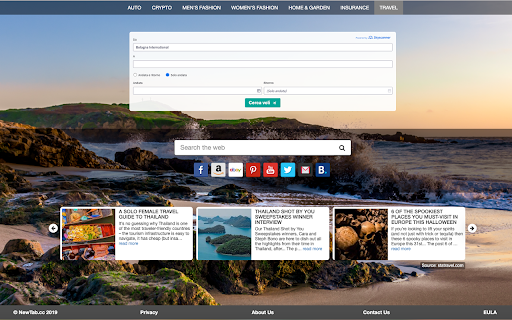

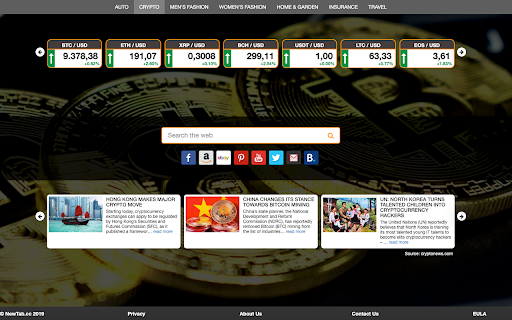
Improve your new tab experience!
With this one single extension you can get the latest news about:
✭ Automobile
✭ Cryptocurrencies
✭ Men's fashion
✭ Women's fashion
✭ Home & Garden
✭ Insurance
✭ Travel
Every time you open a new tab, you can read daily news about your favorite topic.
This extension sets a new tab page with a search bar provided by Bing.
And you can switch category just with a single click on the top menu!
Required permissions:
'Set your new tab' - this permission is needed for the “New Tab” page.
Privacy:
Your privacy matters. Here's how we protect it: https://www.newtab.cc/privacy
Terms Of Use: https://www.newtab.cc/eula
By clicking "Add to chrome", I accept and agree to installing Tab Saver Chrome extension and setting Chrome™ New Tab to that provided by the service and the Terms of Use and Privacy Policy.
| 分类 | 🛠️工具 |
| 插件标识 | ibcdapcpgpofknnfbggcaikbggahcdfi |
| 平台 | Chrome |
| 评分 |
☆☆☆☆☆
|
| 评分人数 | |
| 插件主页 | https://chromewebstore.google.com/detail/my-new-tab/ibcdapcpgpofknnfbggcaikbggahcdfi |
| 版本号 | 3.2 |
| 大小 | 16.92KiB |
| 官网下载次数 | 10000 |
| 下载地址 | |
| 更新时间 | 2021-06-11 00:00:00 |
CRX扩展文件安装方法
第1步: 打开Chrome浏览器的扩展程序
第2步:
在地址栏输入: chrome://extensions/
第3步: 开启右上角的【开发者模式】
第4步: 重启Chrome浏览器 (重要操作)
第5步: 重新打开扩展程序管理界面
第6步: 将下载的crx文件直接拖入页面完成安装
注意:请确保使用最新版本的Chrome浏览器