
Tresorit Send Chrome 插件, crx 扩展下载


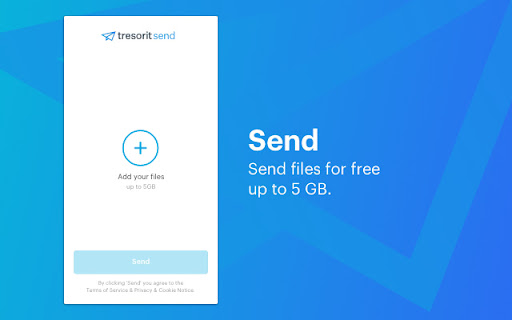
Free end-to-end encrypted large file sharing solution up to 5 GB.
Replace risky email attachments with Tresorit Send, the ultra-secure large file sharing solution. Upload any files and create a secure link that you can share via any channel.
Security Features:
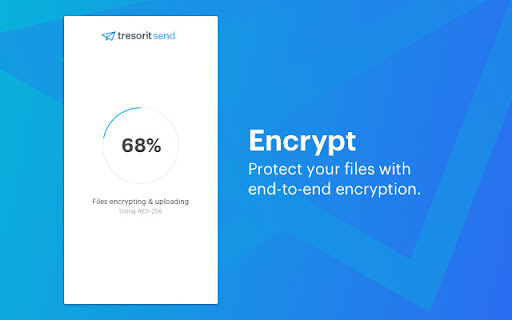
• End-to-end encrypted file sharing for unhackable file transfer.
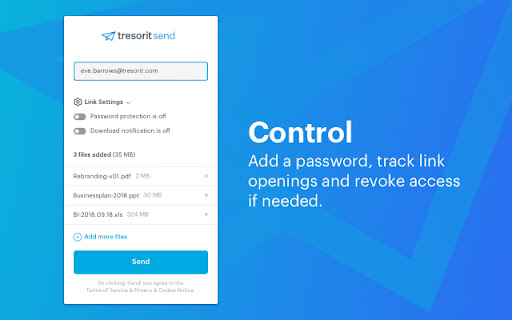
• Add an extra layer of protection with a password.
• Get notified when somebody opened the link you shared.
• Revoke link to remove everybody’s access to the download page.
*** WE ARE CURRENTLY RUNNING IN BETA ***
Please be aware, that Tresorit Send’s chrome extension is currently running in beta. You can encounter some minor bugs or glitches. If you experience them, please contact us at [email protected] with your feedback, instead of leaving a bad review.
| 分类 | 📝工作流程与规划 |
| 插件标识 | ibeahcfhgmcggdgahfmnhmnjdinbakoo |
| 平台 | Chrome |
| 评分 |
☆☆☆☆☆
|
| 评分人数 | |
| 插件主页 | https://chromewebstore.google.com/detail/tresorit-send/ibeahcfhgmcggdgahfmnhmnjdinbakoo |
| 版本号 | 25.2.3.0 |
| 大小 | 8.93MiB |
| 官网下载次数 | 7000 |
| 下载地址 | |
| 更新时间 | 2024-12-17 00:00:00 |
CRX扩展文件安装方法
第1步: 打开Chrome浏览器的扩展程序
第2步:
在地址栏输入: chrome://extensions/
第3步: 开启右上角的【开发者模式】
第4步: 重启Chrome浏览器 (重要操作)
第5步: 重新打开扩展程序管理界面
第6步: 将下载的crx文件直接拖入页面完成安装
注意:请确保使用最新版本的Chrome浏览器