
Shots Block Chrome 插件, crx 扩展下载
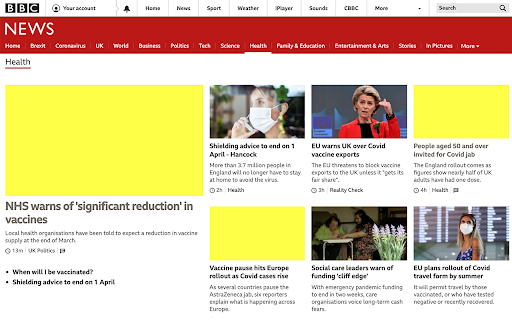
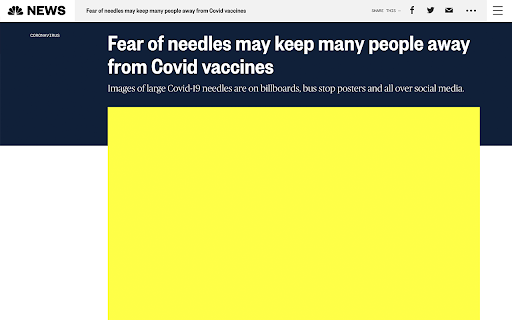
Blocks images of injections, so you can read the news without feeling woozy.
Up to 30% of adults are terrified of injections. The fear ranges from feeling squeamish when seeing a picture of one, to outright refusing medical care because of the phobia.
We all know how important it is to get vaccinated against Covid-19, and yet the imagery plastered all over the news is putting people off this life or death decision. “Fear of needles was one of the barriers that was a significant predictor of people saying, ‘I don’t think I will get this vaccine,’” said Jeanine Guidry, an assistant professor at Virginia Commonwealth University who researches visual communication and conducted a survey of 500 people in July 2020.
This extension aims to relieve some of the anxiety caused by imagery in the news by blocking images containing keywords such as vaccine, injection, syringe. It relies on publishers having accurate alt text on the images they use, but the hope is by raising awareness of this phobia editors will rethink using these graphic images and video all together.
Install Shots Block now and you'll be able to read important vaccination news with a big yellow block covering up any terrifying photos of people getting the shot.
| 分类 | ♿无障碍访问 |
| 插件标识 | ibibhpedbipkopigifmneajelppnadjj |
| 平台 | Chrome |
| 评分 |
☆☆☆☆☆
|
| 评分人数 | |
| 插件主页 | https://chromewebstore.google.com/detail/shots-block/ibibhpedbipkopigifmneajelppnadjj |
| 版本号 | 2.19.1 |
| 大小 | 7.58KiB |
| 官网下载次数 | 17 |
| 下载地址 | |
| 更新时间 | 2021-04-29 00:00:00 |
CRX扩展文件安装方法
第1步: 打开Chrome浏览器的扩展程序
第2步:
在地址栏输入: chrome://extensions/
第3步: 开启右上角的【开发者模式】
第4步: 重启Chrome浏览器 (重要操作)
第5步: 重新打开扩展程序管理界面
第6步: 将下载的crx文件直接拖入页面完成安装
注意:请确保使用最新版本的Chrome浏览器