
DSLrentals Proxy & User-Agent Switcher Chrome 插件, crx 扩展下载
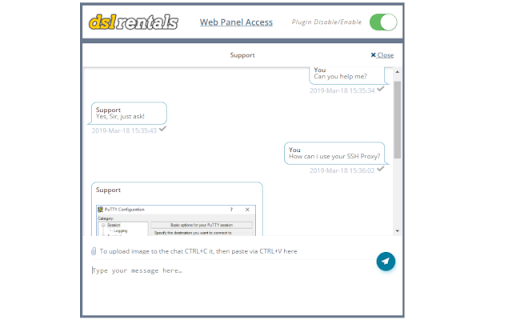
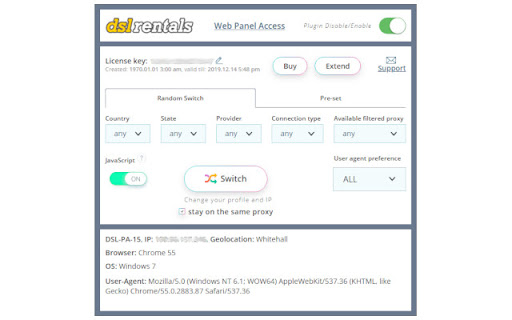
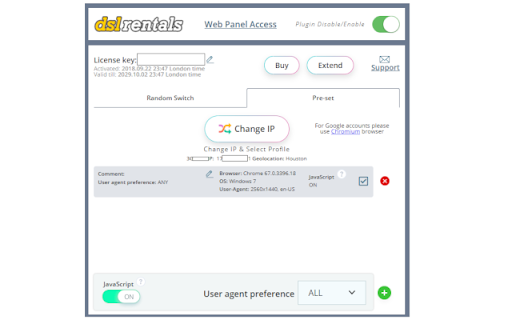
Using proxy, anonimizer, user-agent switcher
This extension allows users to change their user-agent information (and many other things) that are frequently supplied along with the other information requested by the visited resources.
The main reason behind that action is to allow websites to adjust for different browsers and platforms. This is also used to track you. Various internet resources will use all available information to create your profile and then store it and sell it.
Why you need this extension - to leave less digital fingerprints while accessing web. You will become anonymous by using our randomly generated profiles. You can become John from United States or Oliver from Australia; you can switch profile easily, just press a button in the extension.
With our plugin you can:
- Select any type of digital fingerprint (Desktop \ mobile), thousands are available at your disposal.
- Select proxies from different locations and types (HTTP(s), SOCKS5, and the safest SSH).
- Pick random profiles or save them under different names and reuse later
- Automatically clear cookies and history each time you switch proxy & profile
- Turn on\off JavaScript fingerprint interceptor
- Hide your Browser profile from WebRTC fingerprint detectors
- Hide your Browser profile from HTTP, JS fingerprint detectors
The safest browsing experience you can find!
Let's make internet safer together.
https://www.dslrentals.com/terms-of-use/
| 分类 | ♿无障碍访问 |
| 插件标识 | ibnagokeocfghiajgaecnhlkbfmammda |
| 平台 | Chrome |
| 评分 |
☆☆☆☆☆
|
| 评分人数 | |
| 插件主页 | https://chromewebstore.google.com/detail/dslrentals-proxy-user-age/ibnagokeocfghiajgaecnhlkbfmammda |
| 版本号 | 4.3.1 |
| 大小 | 4.19MiB |
| 官网下载次数 | 326 |
| 下载地址 | |
| 更新时间 | 2023-02-16 00:00:00 |
CRX扩展文件安装方法
第1步: 打开Chrome浏览器的扩展程序
第2步:
在地址栏输入: chrome://extensions/
第3步: 开启右上角的【开发者模式】
第4步: 重启Chrome浏览器 (重要操作)
第5步: 重新打开扩展程序管理界面
第6步: 将下载的crx文件直接拖入页面完成安装
注意:请确保使用最新版本的Chrome浏览器