
Yathit: SuiteCRM for Gmail Chrome 插件, crx 扩展下载


Yathit SuiteCRM for Gmail is a secure delightful time-saving tool for SugarCRM users in Gmail.
Yathit Chrome Extension is a secure delightful time-saving tool for SugarCRM users in Gmail.
Stop switching back and forth between your inbox and CRM portal. Set up for you and your team a perfect process for numerous use-cases, including Sales, Marketing, Support, and more.
Features:
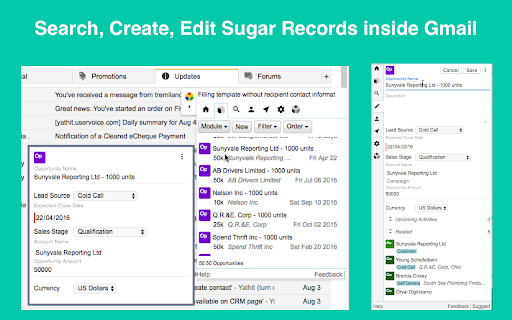
★ Automatically show Contacts/Lead/Accounts record from CRM base on email recipients.
★ The record detail panel also show related Cases, Opportunities, Tasks, etc.
★ If recipients/sender email is not already exist in CRM, create a new Contacts/Lead/Accounts record with one click.
★ Edit CRM record inside Gmail.
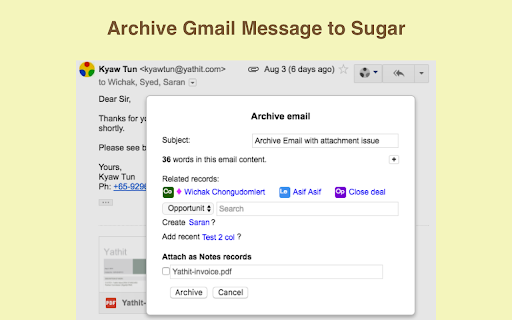
★ Archive email message to CRM with attachments. Or upload attachment to Documents module.
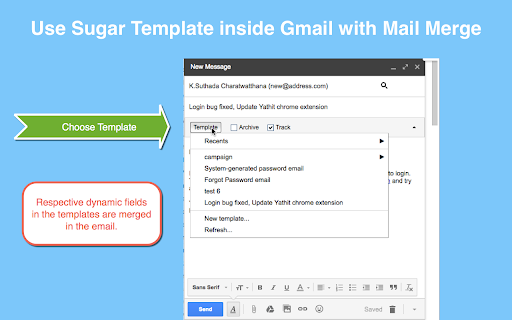
★ Use SugarCRM Email Template in Gmail compose panel.
Works with SugarCRM/SuiteCRM all editions including community, professional and ultimate editions from 6.5 to the latest versions.
| 分类 | 📝工作流程与规划 |
| 插件标识 | iccdnijlhdogaccaiafdpjmbakdcdakk |
| 平台 | Chrome |
| 评分 |
☆☆☆☆☆
|
| 评分人数 | |
| 插件主页 | https://chromewebstore.google.com/detail/yathit-suitecrm-for-gmail/iccdnijlhdogaccaiafdpjmbakdcdakk |
| 版本号 | 25.2.3.0 |
| 大小 | 698KiB |
| 官网下载次数 | 474 |
| 下载地址 | |
| 更新时间 | 2022-09-25 00:00:00 |
CRX扩展文件安装方法
第1步: 打开Chrome浏览器的扩展程序
第2步:
在地址栏输入: chrome://extensions/
第3步: 开启右上角的【开发者模式】
第4步: 重启Chrome浏览器 (重要操作)
第5步: 重新打开扩展程序管理界面
第6步: 将下载的crx文件直接拖入页面完成安装
注意:请确保使用最新版本的Chrome浏览器