
Send to Calendar Chrome 插件, crx 扩展下载
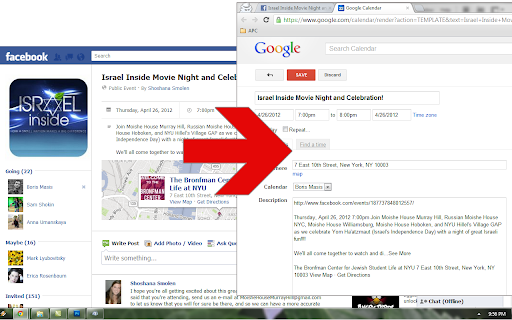

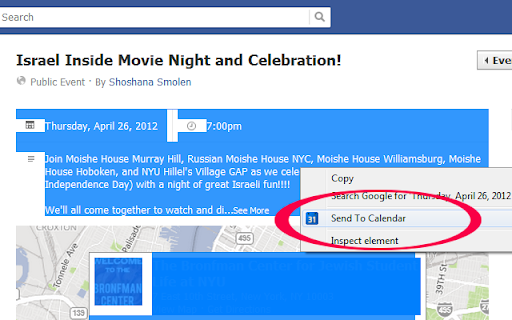
Send events to Google Calendar automagically from any webpage. No more re-typing! Select text, right click, and 'Send to Calendar.'
Send events to Google Calendar - automagically! It works great with Facebook or any other website. Select the text that contains the event info, right click and choose 'Send to Calendar.'
- send events to Google Calendar automagically
- works with Facebook or any other website
- tries to accurately detect date & location info
- no special permissions needed
This extension is open source: https://github.com/borismasis/send-to-calendar/
Version 0.20 update from Rudolf Rosa:
- appending selected text to tab name as title of event
- fixing the issue with Google Chrome dropping new lines
| 分类 | 📝工作流程与规划 |
| 插件标识 | iefhhfhadhcgefikmjdpclgpmmlaodfc |
| 平台 | Chrome |
| 评分 |
☆☆☆☆☆
|
| 评分人数 | |
| 插件主页 | https://chromewebstore.google.com/detail/send-to-calendar/iefhhfhadhcgefikmjdpclgpmmlaodfc |
| 版本号 | 0.20 |
| 大小 | 33.76KiB |
| 官网下载次数 | 10000 |
| 下载地址 | |
| 更新时间 | 2016-07-04 00:00:00 |
CRX扩展文件安装方法
第1步: 打开Chrome浏览器的扩展程序
第2步:
在地址栏输入: chrome://extensions/
第3步: 开启右上角的【开发者模式】
第4步: 重启Chrome浏览器 (重要操作)
第5步: 重新打开扩展程序管理界面
第6步: 将下载的crx文件直接拖入页面完成安装
注意:请确保使用最新版本的Chrome浏览器