
ClickTweet Chrome 插件, crx 扩展下载
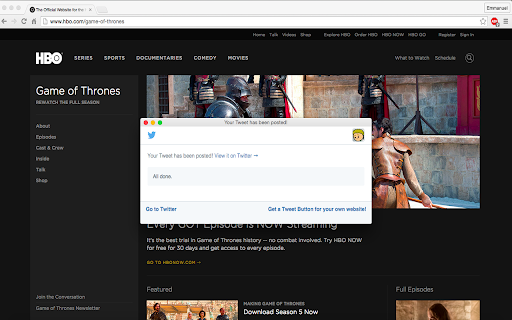
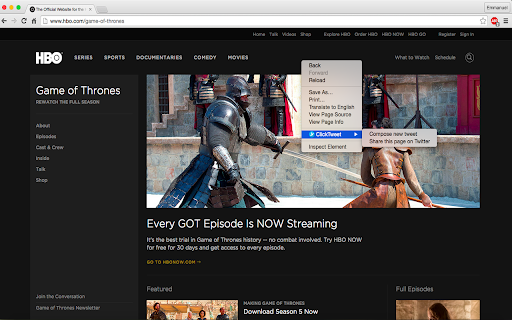
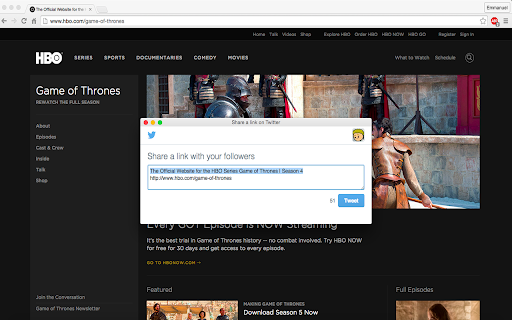
Tweet whatever you are viewing (text, images, links etc) with a right-click!
LiveTweeting your favorite show? No need to pause! Reading a fascinating article? No need to leave the page!
ClickTweet is a simple extension which allows Twitter users to simply right-click the content they want to tweet (be it a page, image, link or highlighted text) and tweet directly. Here's the catch: You don't even need to manually open Twitter to post! Simply tweet what you want without having to leave what you are currently working on.
Ever wanted to share text, the link to a page, image or hyperlink and had to:
* Copy content
* Open Twitter
* Click the "New Tweet" button
* Then post the tweet, before going back to what you were viewing?
Sounds like such a hassle, doesn't it?
Here's where we come in.
ClickTweet's procedure is really simple:
* Right-click content to be tweeted
* Select ClickTweet
* Tweet the content
Simple as it ought to be, right?
DISCLAIMER: For security reasons, ClickTweet does not ask or store your passwords (so no worries).
| 分类 | 👥社交 |
| 插件标识 | iemenfddoiochmlhbdbggjamfpjcclpd |
| 平台 | Chrome |
| 评分 |
☆☆☆☆☆
|
| 评分人数 | |
| 插件主页 | https://chromewebstore.google.com/detail/clicktweet/iemenfddoiochmlhbdbggjamfpjcclpd |
| 版本号 | 3.128.4 |
| 大小 | 28.95KiB |
| 官网下载次数 | 225 |
| 下载地址 | |
| 更新时间 | 2015-09-19 00:00:00 |
CRX扩展文件安装方法
第1步: 打开Chrome浏览器的扩展程序
第2步:
在地址栏输入: chrome://extensions/
第3步: 开启右上角的【开发者模式】
第4步: 重启Chrome浏览器 (重要操作)
第5步: 重新打开扩展程序管理界面
第6步: 将下载的crx文件直接拖入页面完成安装
注意:请确保使用最新版本的Chrome浏览器