
Smart Scanner Chrome 插件, crx 扩展下载
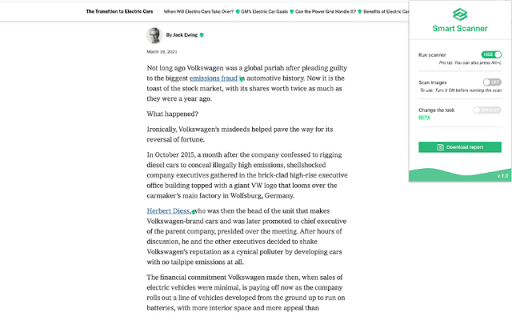

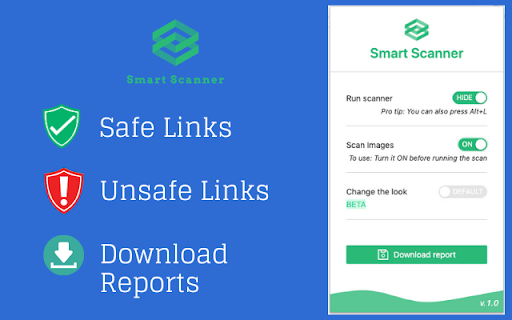
Enables safer browsing experiences across the Internet
Smart Scanner by Mirza Mohammed Akram Baig
Ensure secure access to world knowledge by keeping billions of machines safer.
Smart Scanner extension protects more computers per day by providing consumers with warnings while attempting to access or copy unsafe files from untrusted locations.
Smart Scanner defends users across the internet from phishing attacks. It has advanced to provide users with tools to better defend themselves from web-based threats such as malware, unwanted applications, and social engineering across desktop and mobile devices.
This extension notifies the users if the links present on the webpage are safe to navigate or not and keeps the users safe.
Web Protection:
This scanning infrastructure prevents users from unsafe websites by using alert icons or download a harmful app or a file.
Email Protection:
Smart Scanner protects all email users by identifying dangerous links in email messages and showing warnings.
Downloadable Report:
Our Download Report generates a CSV file with details on the threats that Smart Scanner identifies.
| 分类 | 📝工作流程与规划 |
| 插件标识 | iepbbhfjdfdjpidcodmgjffdjoljaado |
| 平台 | Chrome |
| 评分 |
☆☆☆☆☆
|
| 评分人数 | |
| 插件主页 | https://chromewebstore.google.com/detail/smart-scanner/iepbbhfjdfdjpidcodmgjffdjoljaado |
| 版本号 | 25.2.3.0 |
| 大小 | 292KiB |
| 官网下载次数 | 225 |
| 下载地址 | |
| 更新时间 | 2021-03-29 00:00:00 |
CRX扩展文件安装方法
第1步: 打开Chrome浏览器的扩展程序
第2步:
在地址栏输入: chrome://extensions/
第3步: 开启右上角的【开发者模式】
第4步: 重启Chrome浏览器 (重要操作)
第5步: 重新打开扩展程序管理界面
第6步: 将下载的crx文件直接拖入页面完成安装
注意:请确保使用最新版本的Chrome浏览器