
GRAB AR Chrome 插件, crx 扩展下载

GRAB AR QR Code Generator
The GRAB AR QR Code Generator Chrome extension works in conjunction with GRAB AR Mobile App.
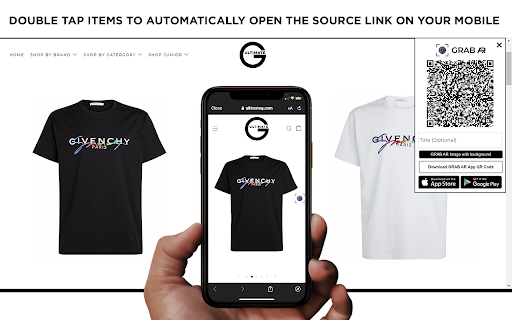
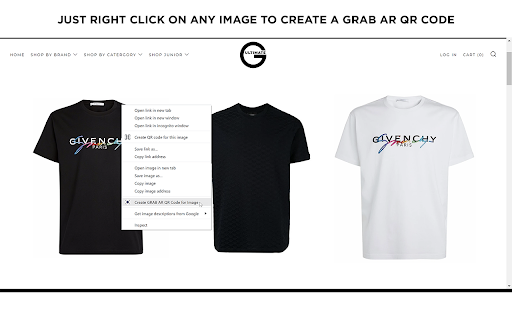
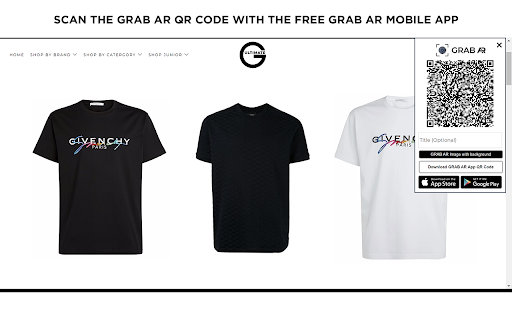
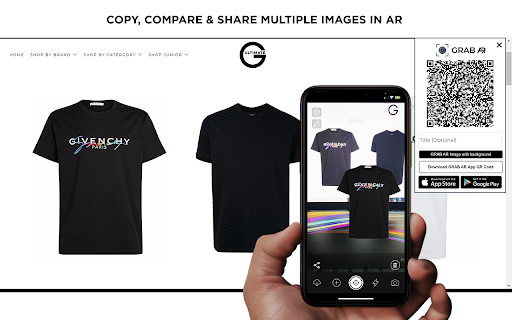
Once installed and enabled, just right click on any Image on a web page and select the menu option ‘Create GRAB AR QR Code for Image’ to generate it’s GRAB AR QR code (make sure the page has fully loaded). Point your Mobile Phone QR Reader at the QR code and it will open the GRAB AR Mobile App with the selected Image placed on your Camera and associated link.
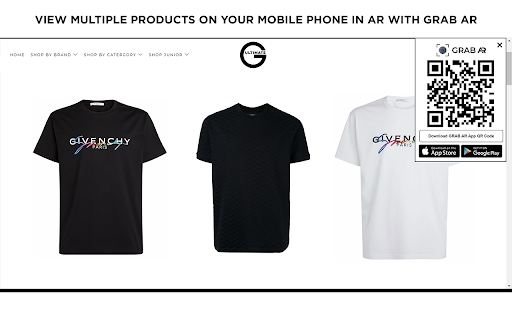
Visualise how products look in any environment that you choose using your Mobile Phone and the GRAB AR App. Mix-and-match multiple items from multiple websites and view on one screen in Augmented Reality with a direct link back (on double tap) to the Image source on your mobile phone.
With GRAB AR you can Copy, Compare and Share. Fill the Imagination Gap. See how any products look in your chosen environment. Help with your purchasing decisions. Create shopping lists.
Add multiple Image Content Items in one .GRABAR Collection. Save and Share .GRABAR Collection files. Generate documents (Word/PDF) from GRAB Collections!
GRAB AR automatically removes the background of any Image Content and then places this on the Camera to view in any chosen surroundings. With GRAB AR you can add multiple Image Content Items on one screen to Mix-and-Match, Compare and Share.
Visit https://grabar.app
| 分类 | 🛍️购物 |
| 插件标识 | igladeejmlgilkplcoejoodcnejhdiac |
| 平台 | Chrome |
| 评分 |
☆☆☆☆☆
|
| 评分人数 | |
| 插件主页 | https://chromewebstore.google.com/detail/grab-ar/igladeejmlgilkplcoejoodcnejhdiac |
| 版本号 | 10.3.13 |
| 大小 | 1.56MiB |
| 官网下载次数 | 135 |
| 下载地址 | |
| 更新时间 | 2021-11-26 00:00:00 |
CRX扩展文件安装方法
第1步: 打开Chrome浏览器的扩展程序
第2步:
在地址栏输入: chrome://extensions/
第3步: 开启右上角的【开发者模式】
第4步: 重启Chrome浏览器 (重要操作)
第5步: 重新打开扩展程序管理界面
第6步: 将下载的crx文件直接拖入页面完成安装
注意:请确保使用最新版本的Chrome浏览器