
timelimit Chrome 插件, crx 扩展下载
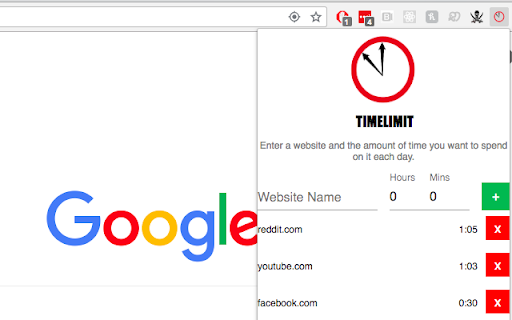
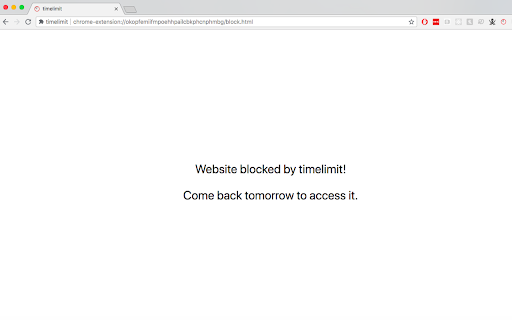
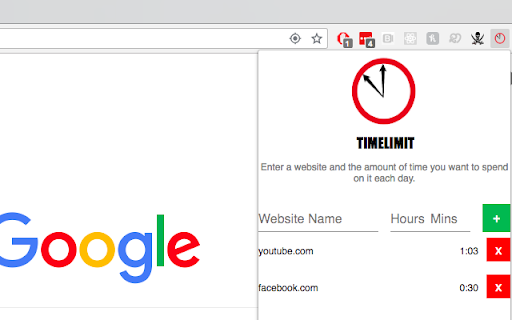
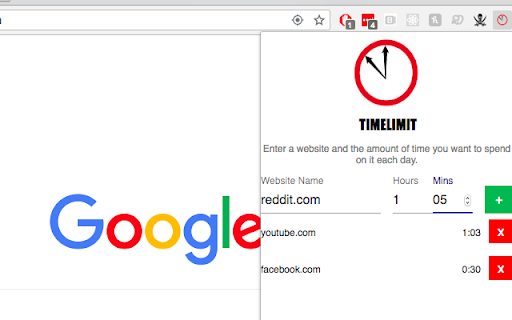
An extension to keep you off distracting websites!
Have you ever wanted to limit the amount of time you spend each day on distracting websites? timelimit allows you to specify a maximum amount of time you want to spend on the website each day. For example, you can specify spending a max of 30 minutes per day on www.facebook.com, and then it will block you from going on the website after you've used it for 30 minutes until the day is over! Users can specify a list of websites that they want to limit, and can add and delete websites, flexibly change the amount of time. The extension also provides the user with the amount of time remaining for the website, so you can see how much time you've spent on the website today and how much time you have left. Note: URL blocking is matched so that if you enter www.facebook.com, timelimit will block www.facebook.com/profile/:id, www.facebook.com/pages, or anything else matching www.facebook.com/*.
| 分类 | 📝工作流程与规划 |
| 插件标识 | ihahdkpgnaoiidnkndhginfpianaindd |
| 平台 | Chrome |
| 评分 |
☆☆☆☆☆
|
| 评分人数 | |
| 插件主页 | https://chromewebstore.google.com/detail/timelimit/ihahdkpgnaoiidnkndhginfpianaindd |
| 版本号 | 0.3.20 |
| 大小 | 671KiB |
| 官网下载次数 | 562 |
| 下载地址 | |
| 更新时间 | 2018-08-19 00:00:00 |
CRX扩展文件安装方法
第1步: 打开Chrome浏览器的扩展程序
第2步:
在地址栏输入: chrome://extensions/
第3步: 开启右上角的【开发者模式】
第4步: 重启Chrome浏览器 (重要操作)
第5步: 重新打开扩展程序管理界面
第6步: 将下载的crx文件直接拖入页面完成安装
注意:请确保使用最新版本的Chrome浏览器