
Bookmark Reminder Chrome 插件, crx 扩展下载
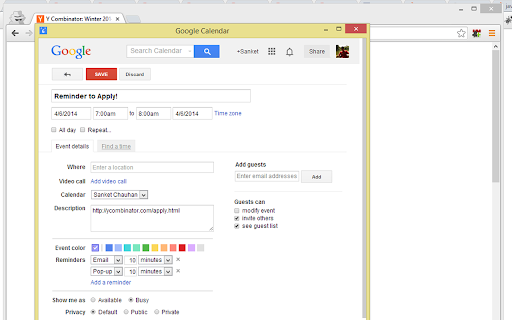
An extension that allows you to add a page as an event in Google Calendar or save as an .ics file, acting as a reminder
What's new in version 0.3
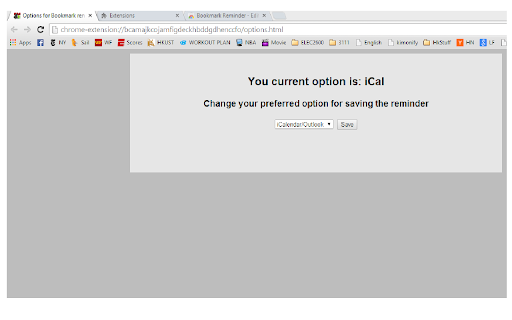
-Option to download an .ics file to add it to your Outlook/iCalendar (Can be changed through the extension's options)
-Adds the URL as the location and the Title of the webpage as a title of the reminder
-------------------
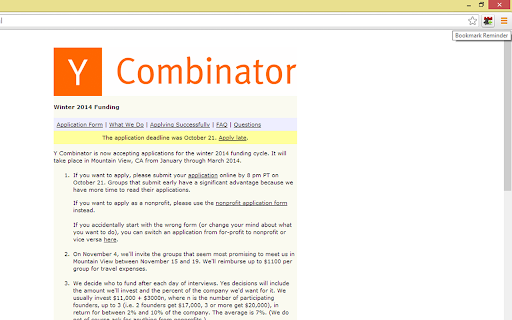
Had a time when you thought of coming back to a certain page at some point in future by bookmarking it and then forget it? This extension allows you to quickly add the URL as a reminder to your Google Calendar (Google Account required) or download as an .ics file to add it to iCal or Outlook. Clicking the icon on any page will open up a popup allowing you to save your event to your calendar!
Please email me at [email protected] for any bugs/feature requests or you can create an issue on Github! You are also welcome to fix existing bugs/add new features and submit pull requests to the repository to improve this extension
https://github.com/sanke93/bookmark-reminder
This extension uses the HTML5 saveAs() FileSaver implementation taken from:
https://github.com/eligrey/FileSaver.js
| 分类 | 📝工作流程与规划 |
| 插件标识 | ihngndbfmmfdnoaafjhckgknmhgfnjli |
| 平台 | Chrome |
| 评分 |
☆☆☆☆☆
|
| 评分人数 | |
| 插件主页 | https://chromewebstore.google.com/detail/bookmark-reminder/ihngndbfmmfdnoaafjhckgknmhgfnjli |
| 版本号 | 25.2.3.0 |
| 大小 | 50.92KiB |
| 官网下载次数 | 258 |
| 下载地址 | |
| 更新时间 | 2014-05-12 00:00:00 |
CRX扩展文件安装方法
第1步: 打开Chrome浏览器的扩展程序
第2步:
在地址栏输入: chrome://extensions/
第3步: 开启右上角的【开发者模式】
第4步: 重启Chrome浏览器 (重要操作)
第5步: 重新打开扩展程序管理界面
第6步: 将下载的crx文件直接拖入页面完成安装
注意:请确保使用最新版本的Chrome浏览器