
InputRecorder Chrome 插件, crx 扩展下载
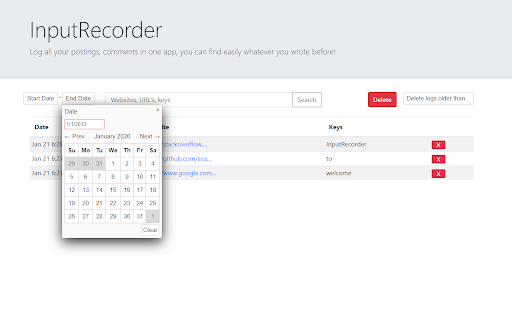
Log all your postings, comments in one app, you can find easily whatever u wrote before!
Input Recorder
This "InputRecorder" records all the Inputs you type!
Log all your postings, comments in one app, you can find easily whatever u wrote before!
[Functions]
* Like digital undertaker, it shows you all the inputs you ever made
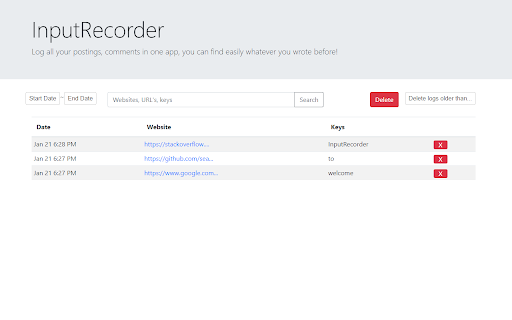
* Log valuable data from lots of keyboard inputs
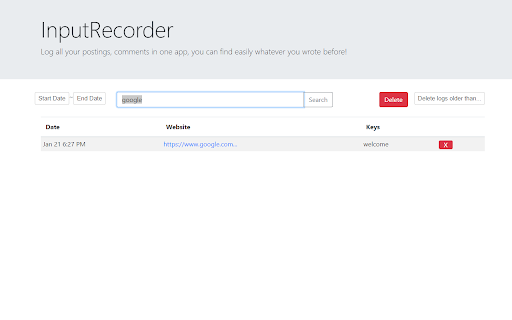
* Search with proper keywords any website, datetime
* Listing all your data to make you grab entire info at a glance
* We automatically parse url of post where you left comment(facebook and instagram)
* Like Manager, you can delete every single data
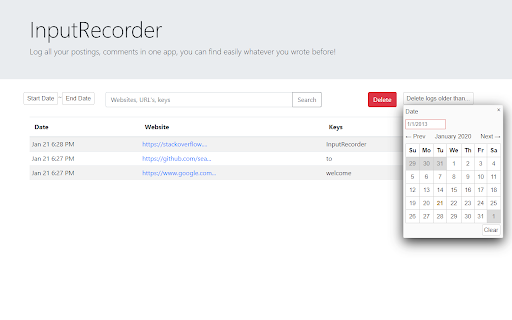
* Delete with datetime setting
* Delete single data with x button
All records remains on your chrome local storage only. Data never goes to online. Feel safe.
| 分类 | 💻开发者工具 |
| 插件标识 | ikiigbdknpgohgailmbgahoibjcpbbig |
| 平台 | Chrome |
| 评分 |
☆☆☆☆☆
|
| 评分人数 | |
| 插件主页 | https://chromewebstore.google.com/detail/inputrecorder/ikiigbdknpgohgailmbgahoibjcpbbig |
| 版本号 | 8.3 |
| 大小 | 479KiB |
| 官网下载次数 | 18 |
| 下载地址 | |
| 更新时间 | 2020-01-23 00:00:00 |
CRX扩展文件安装方法
第1步: 打开Chrome浏览器的扩展程序
第2步:
在地址栏输入: chrome://extensions/
第3步: 开启右上角的【开发者模式】
第4步: 重启Chrome浏览器 (重要操作)
第5步: 重新打开扩展程序管理界面
第6步: 将下载的crx文件直接拖入页面完成安装
注意:请确保使用最新版本的Chrome浏览器