
Tumber - Tab Numbers for Google Chrome™ Chrome 插件, crx 扩展下载

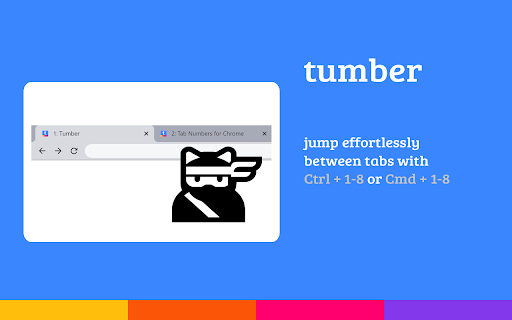

Show tab numbers in Google Chrome™ for tab jumping ninja!
Google Chrome allows fast switching between tabs using keyboard shortcuts. With several tabs open this can take a bit of guess work.
Tumber shows a number in each open tab so you never jump to the wrong tab again!
✅ Features
- Toggle tab numbers in current window
- Toggle tab numbers in all windows
- Self destruct! Tab numbers disappear after a few seconds
❓ How to
- Right click in browser tab and select 'Toggle Current' or 'Toggle All' from the Tumber menu
- Keyboard shortcut Ctrl+Space to toggle in current tab
- Keyboard shortcut Ctrl+Shift+Space to toggle in all tabs
- Jump between tabs in Windows/Linux using Ctrl+1 to Ctrl+8
- Jump between tabs in macOS using Cmd+1 to Cmd+8
? Notes
- Tab numbers cannot be shown on Chrome tabs such as the New Tab Page or Settings
- Tabs are only numbered up to 8 as there are only shortcuts for the first 8 tabs
- Websites that show status updates in the tab title may overwrite the tab number
- Contribute to this project on GitHub - https://github.com/jonpatterson/tumber
Google Chrome is a trademark of Google Inc. Use of this trademark is subject to Google Permissions.
| 分类 | 📝工作流程与规划 |
| 插件标识 | ikjojkniefmpkobmoilpeiiaofcajlgo |
| 平台 | Chrome |
| 评分 |
☆☆☆☆☆
|
| 评分人数 | |
| 插件主页 | https://chromewebstore.google.com/detail/tumber-tab-numbers-for-go/ikjojkniefmpkobmoilpeiiaofcajlgo |
| 版本号 | 25.2.3.0 |
| 大小 | 13.08KiB |
| 官网下载次数 | 55 |
| 下载地址 | |
| 更新时间 | 2020-06-15 00:00:00 |
CRX扩展文件安装方法
第1步: 打开Chrome浏览器的扩展程序
第2步:
在地址栏输入: chrome://extensions/
第3步: 开启右上角的【开发者模式】
第4步: 重启Chrome浏览器 (重要操作)
第5步: 重新打开扩展程序管理界面
第6步: 将下载的crx文件直接拖入页面完成安装
注意:请确保使用最新版本的Chrome浏览器