
Message Secure Send Chrome 插件, crx 扩展下载
This extension securely encrypts/decrypts Gmail™
Message Secure Send (MSS) allows any Gmail™ / Chrome™ users to exchange secure, encrypted emails in just a few clicks. It is perfect for when you'd like to send a credit card number, social security number or other personal information.
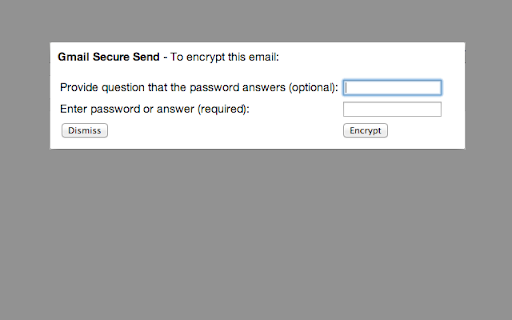
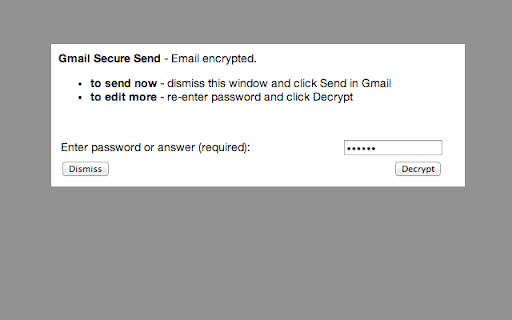
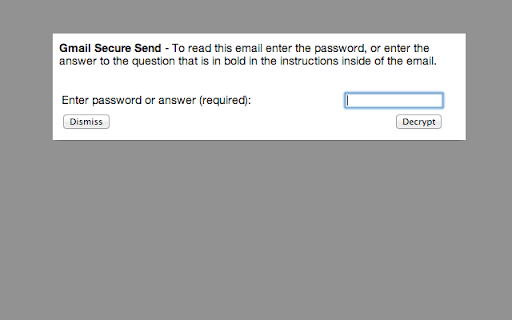
Using MSS is simple: when composing an email click the extension, and provide a question your recipient (but not others) will know the answer to. When your recipient gets the email, they answer the question and view your email; other prying eyes will not be able to read it. (Note that your recipient will need to install MSS to read the email - we are working on more support for other browsers and email readers, but Gmail™/ Chrome™ is required today).
MSS also encrypt emails with simple passwords, so you don't have to insert the question into the email if you've agreed upon a password with the recipient in advance.
Limitations of the current version - we are working on these...
- MSS does not encrypt attachments or the subject of your email
- MSS, Chrome™ and Gmail™ must be available by your recipient to read the email
Gmail™ and Chrome™ are trademarks of Google Inc. Use of these trademarks are subject to Google Permissions.
| 分类 | 📝工作流程与规划 |
| 插件标识 | ilgobmalecajfdmdbeonojopeglcfgpg |
| 平台 | Chrome |
| 评分 |
☆☆☆☆☆
|
| 评分人数 | |
| 插件主页 | https://chromewebstore.google.com/detail/message-secure-send/ilgobmalecajfdmdbeonojopeglcfgpg |
| 版本号 | 0.23 |
| 大小 | 87.51KiB |
| 官网下载次数 | 252 |
| 下载地址 | |
| 更新时间 | 2022-09-22 00:00:00 |
CRX扩展文件安装方法
第1步: 打开Chrome浏览器的扩展程序
第2步:
在地址栏输入: chrome://extensions/
第3步: 开启右上角的【开发者模式】
第4步: 重启Chrome浏览器 (重要操作)
第5步: 重新打开扩展程序管理界面
第6步: 将下载的crx文件直接拖入页面完成安装
注意:请确保使用最新版本的Chrome浏览器