
Kontest Reminder Chrome 插件, crx 扩展下载
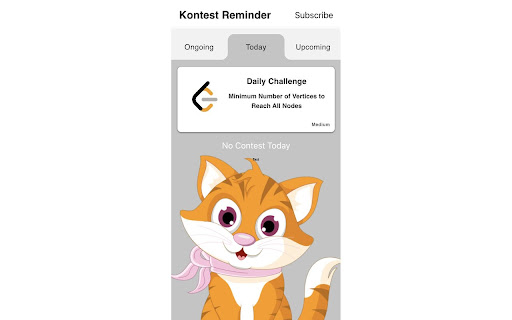
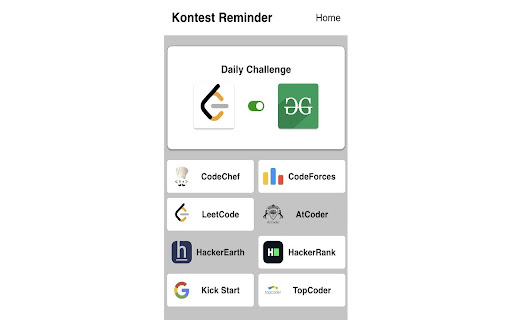

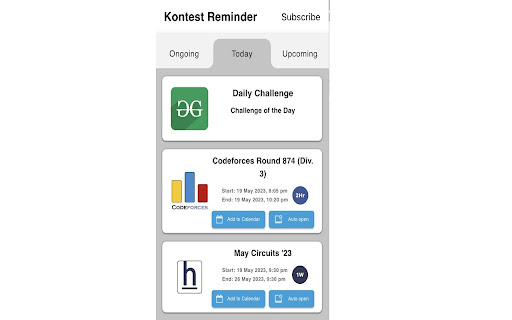
This extension will never let you forget about any coding contest
Now available on Firefox store as well: https://addons.mozilla.org/en-US/firefox/addon/kontest-reminder/
What's New?
- Visit a Coding Contest in one click.
- Add contest to google calendar and use its features.
- Set an alarm which will allow the extension to open the contest link 1 minute prior to the contest.
- Delete a contest in the list.
- Select specific websites for updates.
Sites we support?
- Codechef
- Codeforces
- Hacker Earth
- Geeks For Geeks
- Leetcode
and many more...
Kontest-Reminder doesn’t take any personal information from the user. It fetches data from API's one an hour and stores it in chrome database.
Shout out to kontests.net for providing with awesome api's.
We are planning to make our own API's hope then we can perform better.
| 分类 | 📝工作流程与规划 |
| 插件标识 | imdlnagpdjhelkapllclmdogjobpoihg |
| 平台 | Chrome |
| 评分 |
☆☆☆☆☆
|
| 评分人数 | |
| 插件主页 | https://chromewebstore.google.com/detail/kontest-reminder/imdlnagpdjhelkapllclmdogjobpoihg |
| 版本号 | 2.1.3 |
| 大小 | 1.03MiB |
| 官网下载次数 | 1000 |
| 下载地址 | |
| 更新时间 | 2023-08-02 00:00:00 |
CRX扩展文件安装方法
第1步: 打开Chrome浏览器的扩展程序
第2步:
在地址栏输入: chrome://extensions/
第3步: 开启右上角的【开发者模式】
第4步: 重启Chrome浏览器 (重要操作)
第5步: 重新打开扩展程序管理界面
第6步: 将下载的crx文件直接拖入页面完成安装
注意:请确保使用最新版本的Chrome浏览器