
Discord Radio Chrome 插件, crx 扩展下载
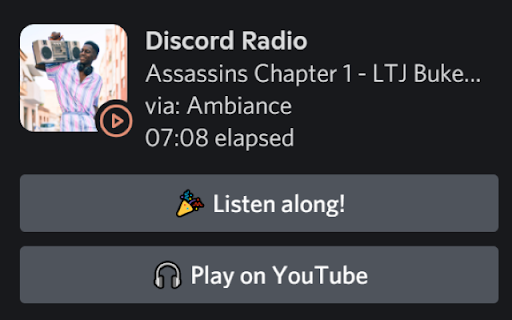
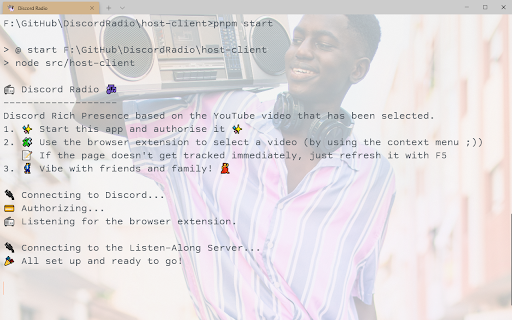
Creates a Discord Rich Presence and allows friends to listen along to the YouTube page that has been selected.
Discord Radio is the first ever Discord Rich Presence feature which not only shares the song/video you are currently listening/watching on YouTube, but also competes with the Spotify Premium Listen Along feature by allowing friends to listen along!
With our dear friend Groovy receiving a cease and desist from Google ?, and probably many music bots at risk of following, we hope you agree that Discord Radio is the next best thing in town!
It cooperates with the Discord Radio Host-Client to send the data to discord.
To get the Host-Client visit https://github.com/scarcheek/DiscordRadio
After you've shared your activity on Discord, people can visit http://discordradio.tk/d/DiscordTag/0000 to listen along with the user.
| 分类 | 👥社交 |
| 插件标识 | inhkknpphjhmhlkmlnmoaldikmfciecc |
| 平台 | Chrome |
| 评分 |
☆☆☆☆☆
|
| 评分人数 | |
| 插件主页 | https://chromewebstore.google.com/detail/discord-radio/inhkknpphjhmhlkmlnmoaldikmfciecc |
| 版本号 | 3.128.4 |
| 大小 | 8.41MiB |
| 官网下载次数 | 87 |
| 下载地址 | |
| 更新时间 | 2022-11-04 00:00:00 |
CRX扩展文件安装方法
第1步: 打开Chrome浏览器的扩展程序
第2步:
在地址栏输入: chrome://extensions/
第3步: 开启右上角的【开发者模式】
第4步: 重启Chrome浏览器 (重要操作)
第5步: 重新打开扩展程序管理界面
第6步: 将下载的crx文件直接拖入页面完成安装
注意:请确保使用最新版本的Chrome浏览器