
Flix Trix! Chrome 插件, crx 扩展下载
Tools for your streaming services. Works with Netflix, Amazon, and Disney+!
Flix Trix is a new extension designed to provide a number of tools to enhance your experiences with your streaming services.
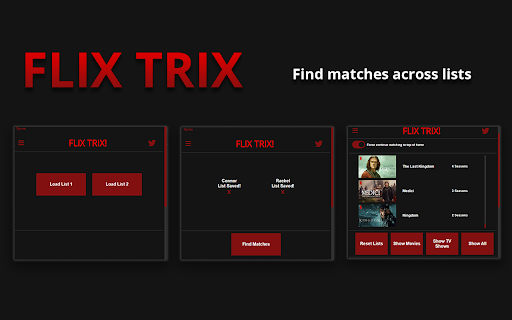
Currently, Flix Trix allows you to compare your Netflix, Disney+ and Amazon Prime Video watchlists with another local profile to find items on both lists. So you don't have to look through both of your lists to figure out what you both want to watch.
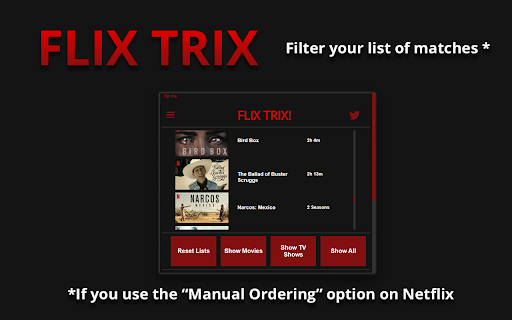
Flix Trix also allows you to filter these items by TV shows/Movies, this currently works for Amazon Prime Video.
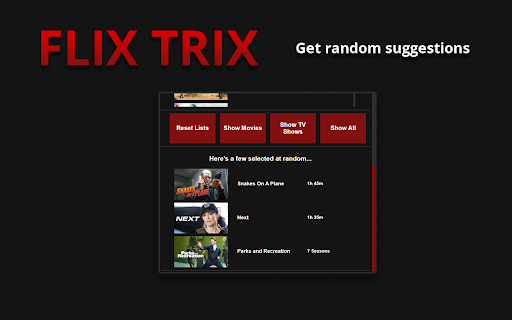
It also selects a few items at random, if you’d rather leave the decision up to the universe!
V1.1.3
Current Features:
Comparing two lists to find matches
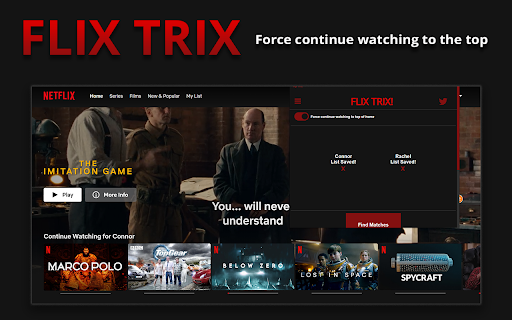
Force continue watching to top of home
Select three matches at random
Filter matches based on media type (TV show or Movie)
Current Services Flix Trix works on:
Netflix
Disney+
Amazon Prime Video
How to use:
Finding shared items:
1. Install the extension by clicking the "Add to chrome" button above
2. Navigate to person 1's watchlist ( e.g https://www.netflix.com/browse/my-list )
3. Click the extension icon to open the popup
4. Click one of the "Load List" buttons to load your list into the extension
5. Navigate to person 2's watchlist
6. Open the popup and load person 2's list using the other "Load List" button
7. A new button "Find Matches" should appear underneath, click that button to find the items shared between your lists
Filter shared items (Prime Video only):
1. Follow the instructions above under 'Finding shared items'
2. After finding your shared items, there should be new buttons underneath that allow you to filter the list.
Force 'Continue watching' to the top:
1. Install the extension by clicking the "Add to chrome" button above
2. Click the extension icon to open the popup
3. Click the hamburger button in the top left, a new box should appear with a slider button
4. Click the slider button to enable the feature
Please send any bug reports to [email protected]
| 分类 | 🎉趣味休闲 |
| 插件标识 | innnfgbpifgbnglcfdcmklifnjccbngi |
| 平台 | Chrome |
| 评分 |
☆☆☆☆☆
|
| 评分人数 | |
| 插件主页 | https://chromewebstore.google.com/detail/flix-trix/innnfgbpifgbnglcfdcmklifnjccbngi |
| 版本号 | 3.0.0.18 |
| 大小 | 41.28KiB |
| 官网下载次数 | 80 |
| 下载地址 | |
| 更新时间 | 2023-06-22 00:00:00 |
CRX扩展文件安装方法
第1步: 打开Chrome浏览器的扩展程序
第2步:
在地址栏输入: chrome://extensions/
第3步: 开启右上角的【开发者模式】
第4步: 重启Chrome浏览器 (重要操作)
第5步: 重新打开扩展程序管理界面
第6步: 将下载的crx文件直接拖入页面完成安装
注意:请确保使用最新版本的Chrome浏览器