
Trackie Chrome 插件, crx 扩展下载
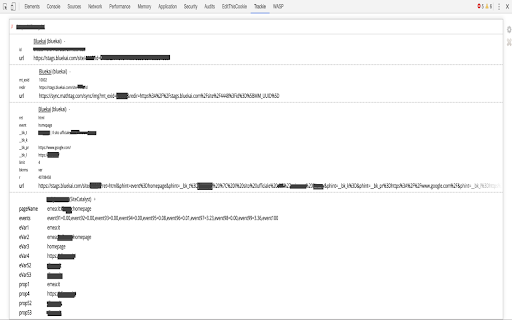
Debug and test tag manager and analytics implementations.
Trackie ? is a Chrome extension to enhance debugging ??? of some frequently-used tag management platforms ?:
- GTM
- Tealium
- More tag managers supported, as linked in the project homepage
In addition Trackie intercepts ⚡️ a lot of most-used tag calls (page view, clicks, checkout...) ??♂from:
- Google Analytics also v4 property, formerly known as "App + Web" property (with Audiences also)
- Many other tags supported, as linked in the project homepage
Tag calls can now be exported in csv ? in order to better view data collected offline!
| 分类 | 💻开发者工具 |
| 插件标识 | iphjjodolgbelaogcefgpegebgecopeh |
| 平台 | Chrome |
| 评分 |
☆☆☆☆☆
|
| 评分人数 | |
| 插件主页 | https://chromewebstore.google.com/detail/trackie/iphjjodolgbelaogcefgpegebgecopeh |
| 版本号 | 8.3 |
| 大小 | 172KiB |
| 官网下载次数 | 448 |
| 下载地址 | |
| 更新时间 | 2020-12-15 00:00:00 |
CRX扩展文件安装方法
第1步: 打开Chrome浏览器的扩展程序
第2步:
在地址栏输入: chrome://extensions/
第3步: 开启右上角的【开发者模式】
第4步: 重启Chrome浏览器 (重要操作)
第5步: 重新打开扩展程序管理界面
第6步: 将下载的crx文件直接拖入页面完成安装
注意:请确保使用最新版本的Chrome浏览器