
Ghost Screen Chrome 插件, crx 扩展下载
Easier comparing Figma design with its implementation for designers and developers.
What's this?
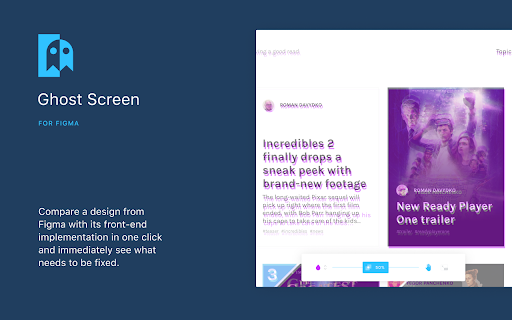
Extension for Google Chrome. Integration with Figma API allows you to compare a design and its implementation in one click and immediately see what needs to be fixed.
Why?
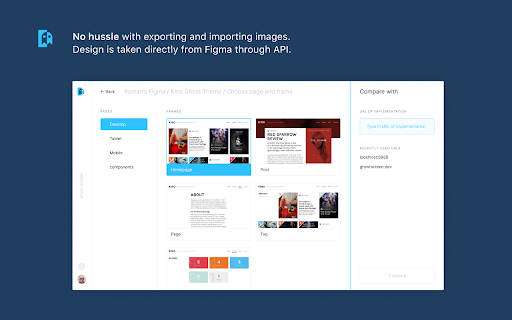
- No export/import: design is taken directly from Figma automatically;
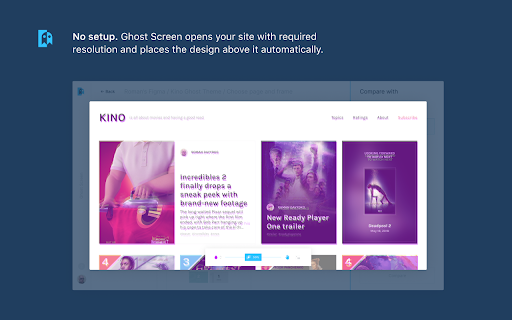
- No need to spend time setting up. Ghost Screen opens your site with required resolution and places the design above it in correct way;
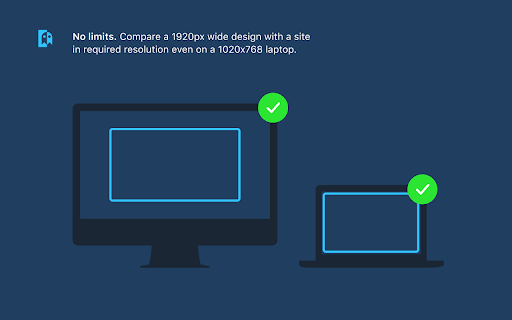
- It is convenient to compare a 1920px design and a site in a required resolution even on a 1020x768 laptop.
How it works?
Install from the official Chrome Store → Sign in with your Figma account → Choose a frame and its implementation to compare. Then Ghost Screen will define how to accurately lay out the design of any size on top of the site.
| 分类 | 💻开发者工具 |
| 插件标识 | jahomikcecjnnilgchiddkbkeonkilhh |
| 平台 | Chrome |
| 评分 |
☆☆☆☆☆
|
| 评分人数 | |
| 插件主页 | https://chromewebstore.google.com/detail/ghost-screen/jahomikcecjnnilgchiddkbkeonkilhh |
| 版本号 | 8.3 |
| 大小 | 659KiB |
| 官网下载次数 | 331 |
| 下载地址 | |
| 更新时间 | 2022-07-13 00:00:00 |
CRX扩展文件安装方法
第1步: 打开Chrome浏览器的扩展程序
第2步:
在地址栏输入: chrome://extensions/
第3步: 开启右上角的【开发者模式】
第4步: 重启Chrome浏览器 (重要操作)
第5步: 重新打开扩展程序管理界面
第6步: 将下载的crx文件直接拖入页面完成安装
注意:请确保使用最新版本的Chrome浏览器