
Breakpoint Chrome 插件, crx 扩展下载
The easiest way to find the break points in your responsive web designs.
Breakpoint lets you use your keyboard to resize your browser window - one pixel at a time. Therefore it is the perfect companion when you are trying to find the exact pixel where your responsive websites break.
How to use
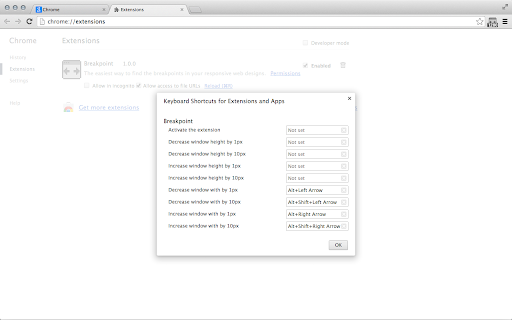
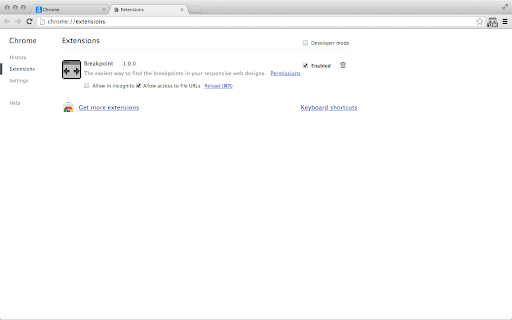
These are the default settings, you can change them in "Window" > "Extensions", then scroll down to the bottom and to the right you will find "Keyboard Shortcuts".
Please note: Since Chrome version 29 these are not set by default anymore! You now have to set them manually when you install the extension.
Alt + Left Arrow: Decrease the width of the window by 1px
Alt + Right Arrow: Increase the width of the window by 1px
(Add Shift to any of the combinations to change it by 10px)
Breakpoint also has the ability to change the height of the browser window, but you have to manually activate it in "Window" > "Extensions" > "Keyboard Shortcuts".
When you find the break point you are looking for the tiny icon in the toolbar will tell you the exact size of you browser window.
| 分类 | 💻开发者工具 |
| 插件标识 | jakokfjpnhpnhilgnlnkaihmkhdfhhmh |
| 平台 | Chrome |
| 评分 |
☆☆☆☆☆
|
| 评分人数 | |
| 插件主页 | https://chromewebstore.google.com/detail/breakpoint/jakokfjpnhpnhilgnlnkaihmkhdfhhmh |
| 版本号 | 1.3.3 |
| 大小 | 8.21KiB |
| 官网下载次数 | 1000 |
| 下载地址 | |
| 更新时间 | 2016-11-06 00:00:00 |
CRX扩展文件安装方法
第1步: 打开Chrome浏览器的扩展程序
第2步:
在地址栏输入: chrome://extensions/
第3步: 开启右上角的【开发者模式】
第4步: 重启Chrome浏览器 (重要操作)
第5步: 重新打开扩展程序管理界面
第6步: 将下载的crx文件直接拖入页面完成安装
注意:请确保使用最新版本的Chrome浏览器