
Miles Or Kilometers Chrome 插件, crx 扩展下载
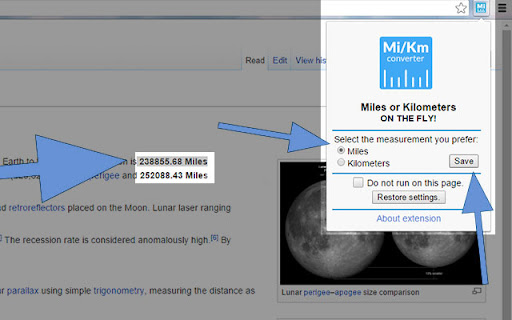
This extension converts from and in to Miles or Kilometers on the fly, depending on the user's choice.
Do not bother to convert length measurements while you surf the web, this extension will do that for you!
Version 1.3:
New version changes:
-fixed commas as thousands separators (100,000.00).
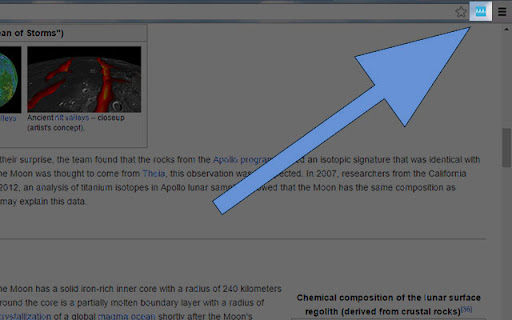
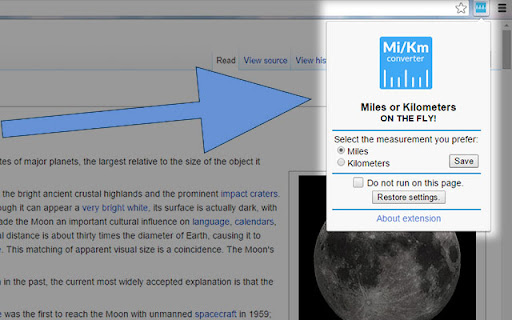
After installing the extension from the Google web store you'll get an icon on the right of the address bar, just click on it and follow this 2 simple steps. Enjoy the benefits it offers:
Choose the length measurement that you know – Miles or Kilometers.
Click SAVE and store the settings on the cloud.
The extension will then convert any measurement in Miles or Kilometers you'll encounter while you surf the web.
The benefits Of the extension:
Never bother with Miles or Kilometers.
Never lose your settings!
The extension is syncable – it uses the chrome.storage API to store and retrieve changes to your data.
Use the – ”Do not run on this page“ option to select which domain the extension should not run the converter.
The code is light, it doesn't require much of the browser's memory and CPU time.
No user data is shared by me or any other company !
Easy preview of the settings – the icon will change for Miles mi or Kilometers km based on your preferences.
Support and about page: http://jovcevski.mk/
| 分类 | 📝工作流程与规划 |
| 插件标识 | jbkgnphohjaeflihpcjnkemkbcmmcgji |
| 平台 | Chrome |
| 评分 |
☆☆☆☆☆
|
| 评分人数 | |
| 插件主页 | https://chromewebstore.google.com/detail/miles-or-kilometers/jbkgnphohjaeflihpcjnkemkbcmmcgji |
| 版本号 | 25.2.3.0 |
| 大小 | 45.5KiB |
| 官网下载次数 | 217 |
| 下载地址 | |
| 更新时间 | 2014-12-10 00:00:00 |
CRX扩展文件安装方法
第1步: 打开Chrome浏览器的扩展程序
第2步:
在地址栏输入: chrome://extensions/
第3步: 开启右上角的【开发者模式】
第4步: 重启Chrome浏览器 (重要操作)
第5步: 重新打开扩展程序管理界面
第6步: 将下载的crx文件直接拖入页面完成安装
注意:请确保使用最新版本的Chrome浏览器