
OK Zoomer Chrome 插件, crx 扩展下载

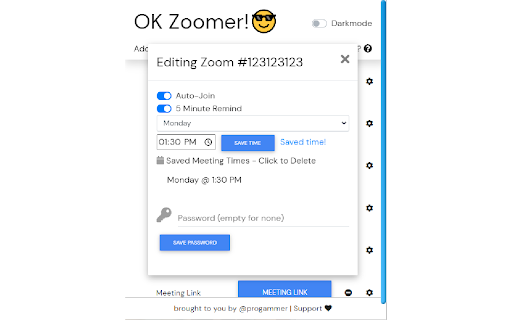
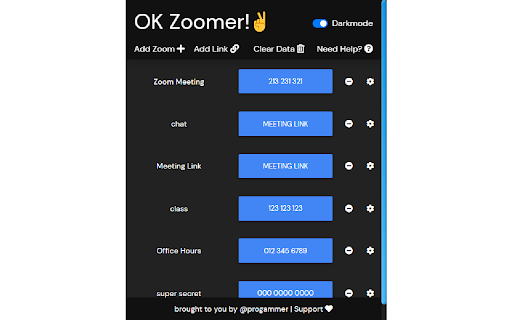
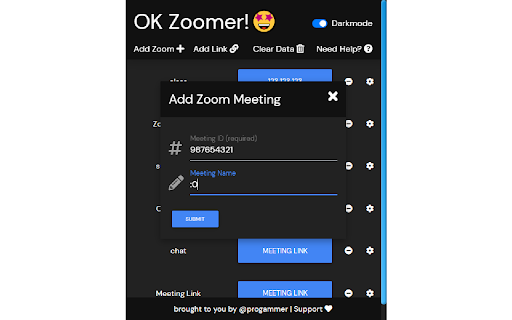
OK Zoomer is a clean and lightweight portal for accessing Zoom meetings.
Late to Zoom University because you forgot you had class? Or maybe you couldn't find that join link buried in your email with 999+ notifications... OK Zoomer. Here's a solution for your troubles: a compact and easily accessible extension that will save and join your classes for you!
why should I download this?
- Lightweight portal for easy access to online meetings
- Zoom meetings and other links [e.g. Microsoft Teams and Blackboard Collaborate] supported
- Save and customize meetings with password support
- Schedule meetings, automatically join meetings, and get reminders
| 分类 | ♿无障碍访问 |
| 插件标识 | jbnbkdnmmdndfglombmgmbccfccjkidg |
| 平台 | Chrome |
| 评分 |
☆☆☆☆☆
|
| 评分人数 | |
| 插件主页 | https://chromewebstore.google.com/detail/ok-zoomer/jbnbkdnmmdndfglombmgmbccfccjkidg |
| 版本号 | 2.19.1 |
| 大小 | 212KiB |
| 官网下载次数 | 217 |
| 下载地址 | |
| 更新时间 | 2020-09-09 00:00:00 |
CRX扩展文件安装方法
第1步: 打开Chrome浏览器的扩展程序
第2步:
在地址栏输入: chrome://extensions/
第3步: 开启右上角的【开发者模式】
第4步: 重启Chrome浏览器 (重要操作)
第5步: 重新打开扩展程序管理界面
第6步: 将下载的crx文件直接拖入页面完成安装
注意:请确保使用最新版本的Chrome浏览器