
Immerx DevTools Chrome 插件, crx 扩展下载
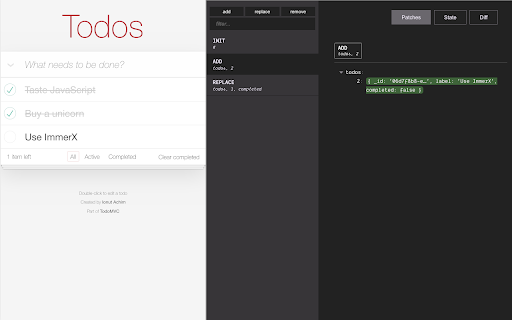
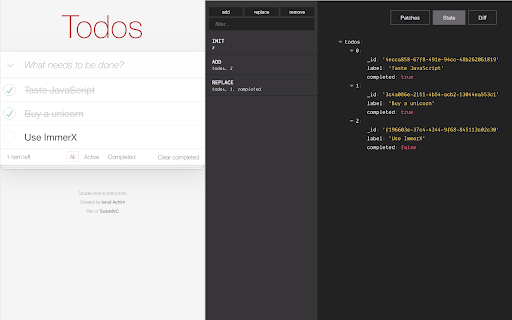
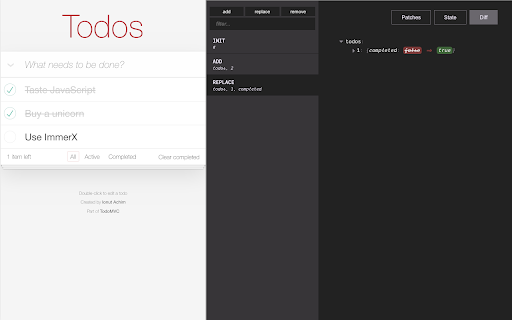
Immerx debugging tools in Chrome developer console.
ImmerX DevTools is a Chrome DevTools extension for the open-source JS state management library - ImmerX.
It helps developers visualise ImmerX state changes in the Chrome Developer Tools. It creates a new panel called "Immerx DevTools" that contains 4 main components:
1. "Update List" - A filterable, vertical scrolling list of all the state updates.
2. "Patches" - Where you can see all the immer patches that were applied during the selected state update. Each patch containing information about he operation type, the path and the diff.
3. "State" - Display the state value resulted from the selected update, or the current value if no update is selected.
4. "Diff" - Shows a diff between the state values before and after the selected update.
See an interactive demo of the inlined version here:
https://monojack.github.io/immerx-todomvc
You can learn more about ImmerX here:
https://github.com/monojack/immerx
Code for this extension is open-sourced at:
https://github.com/monojack/immerx-devtools
| 分类 | 💻开发者工具 |
| 插件标识 | jchcefekimgnfceonnnekpgmphepengp |
| 平台 | Chrome |
| 评分 |
☆☆☆☆☆
|
| 评分人数 | |
| 插件主页 | https://chromewebstore.google.com/detail/immerx-devtools/jchcefekimgnfceonnnekpgmphepengp |
| 版本号 | 88 |
| 大小 | 81.98KiB |
| 官网下载次数 | 25 |
| 下载地址 | |
| 更新时间 | 2020-06-08 00:00:00 |
CRX扩展文件安装方法
第1步: 打开Chrome浏览器的扩展程序
第2步:
在地址栏输入: chrome://extensions/
第3步: 开启右上角的【开发者模式】
第4步: 重启Chrome浏览器 (重要操作)
第5步: 重新打开扩展程序管理界面
第6步: 将下载的crx文件直接拖入页面完成安装
注意:请确保使用最新版本的Chrome浏览器