
Cutouts Chrome 插件, crx 扩展下载

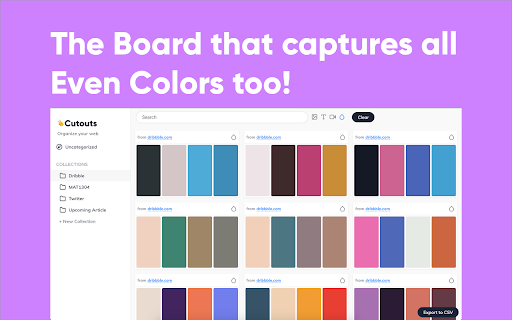

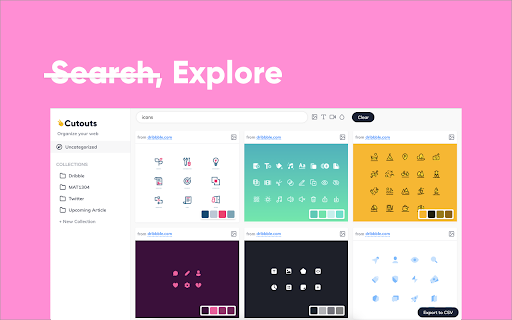

AI organizer for cutouts on the browser
Do you need a Pinterest for your next project to grab inspiration from the web & never forget it?
Features -
✅ Save text highlights & links from the web and collect inspiration & data for your next big article or award winning ad ?
✅ Save images & videos and generate moodboards on the fly ?
✅ Create instant color palettes from images ?
✅ Sorts and auto tags all your cutouts and search like a pro! ?
✅ Create collections and keep yourself organised ?♀️
✅ No sign up required, always FREE ✨
✅ No spying ! Your data is your data. Everything is processed on your machine, in your browser ?️♂️ ?
✅ Export all data in CSV format
Cutouts bring you the smartest clipboard organiser for the web ever built. Save images, text & videos with one click & do not worry about keeping a track. Cutouts makes it simple to organise your web. Cutouts use ML on the browser to make your search simple and relevant.
| 分类 | 📝工作流程与规划 |
| 插件标识 | jcjaaeialhaakckfpmpkipnjeiggekib |
| 平台 | Chrome |
| 评分 |
☆☆☆☆☆
|
| 评分人数 | |
| 插件主页 | https://chromewebstore.google.com/detail/cutouts/jcjaaeialhaakckfpmpkipnjeiggekib |
| 版本号 | 0.7.0 |
| 大小 | 2.82MiB |
| 官网下载次数 | 2000 |
| 下载地址 | |
| 更新时间 | 2021-09-08 00:00:00 |
CRX扩展文件安装方法
第1步: 打开Chrome浏览器的扩展程序
第2步:
在地址栏输入: chrome://extensions/
第3步: 开启右上角的【开发者模式】
第4步: 重启Chrome浏览器 (重要操作)
第5步: 重新打开扩展程序管理界面
第6步: 将下载的crx文件直接拖入页面完成安装
注意:请确保使用最新版本的Chrome浏览器