
ColorDeck for Tweetdeck Chrome 插件, crx 扩展下载
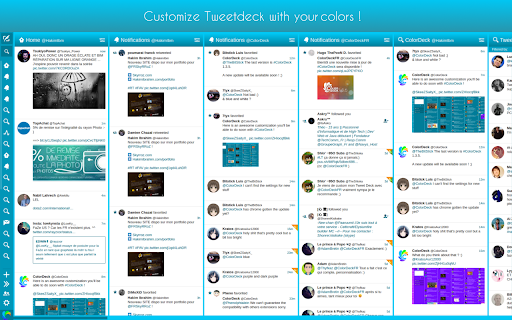
ColorDeck allows you to personalize the official web client of Twitter : Tweetdeck.
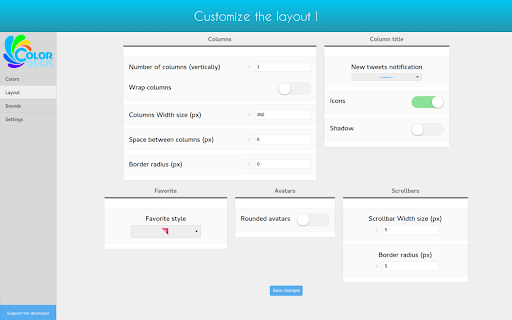
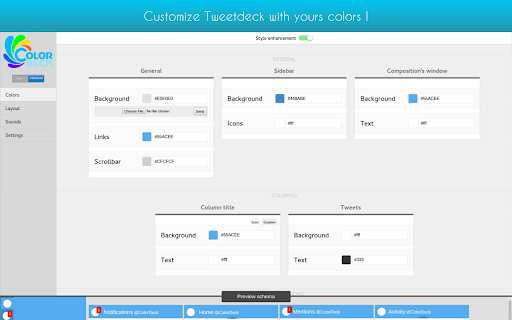
ColorDeck is an extension which allows you to customize the official Web Twitter client: Tweetdeck. Indeed, with ColorDeck you can change colors, layout, sounds of Tweetdeck and also enjoy some useful features !
Last update (1.3.9.8) :
- Fix: Stars are back!
***
- Possibility to remove the "Replying to" last Tweetdeck feature
- Possibility to get back the FAV/RT corner icon
- Possibility to replace the text input of search columns into regular column title.
- Possibility to switch between the "heart" and "star" favorite icon !
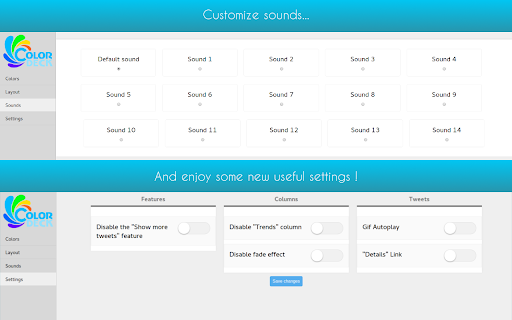
- Possibility to disable the "Trends" column
- Possibility to disable the "Show more Tweets" feature
- Possibility to disable the "x new tweets" notification
- Possibility to disable the fade effect
- Possibility to disable Gifs Autoplay
- Column Width
- Space between columns
- Rounded columns
- Possibility to set the number of columns displayed vertically.
- Shadows under columns title
- Rounded or Squared avatars
- Choosing the notification sound (10 possible sounds)
- Possibility to set a gradient as column title background
- Possibility to remove column titles icons
- Possibility to adjust scrollbar width and border radius
- Possibility to import/export your ColorDeck settings
- Possibility to add animations to your Tweetdeck
- Auto-apply of your ColorDeck setting changes on Tweetdeck, without having to refresh Tweetdeck.
- New popup profile layout (You can get the new layout in the Layout options tab).
And many other features to best customize your Tweetdeck!
| 分类 | 👥社交 |
| 插件标识 | jgoilgghdiafcdpgaddhfnlnhjhiejjl |
| 平台 | Chrome |
| 评分 |
☆☆☆☆☆
|
| 评分人数 | |
| 插件主页 | https://chromewebstore.google.com/detail/colordeck-for-tweetdeck/jgoilgghdiafcdpgaddhfnlnhjhiejjl |
| 版本号 | 3.128.4 |
| 大小 | 1.05MiB |
| 官网下载次数 | 1000 |
| 下载地址 | |
| 更新时间 | 2021-09-06 00:00:00 |
CRX扩展文件安装方法
第1步: 打开Chrome浏览器的扩展程序
第2步:
在地址栏输入: chrome://extensions/
第3步: 开启右上角的【开发者模式】
第4步: 重启Chrome浏览器 (重要操作)
第5步: 重新打开扩展程序管理界面
第6步: 将下载的crx文件直接拖入页面完成安装
注意:请确保使用最新版本的Chrome浏览器