
Score Guessing Game Chrome 插件, crx 扩展下载
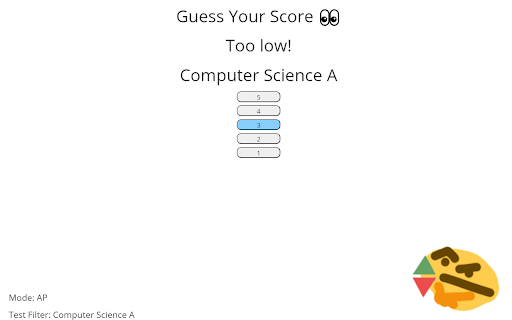
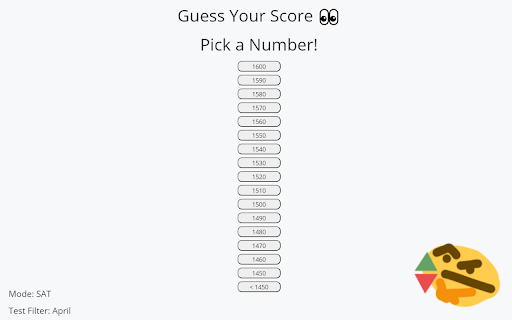
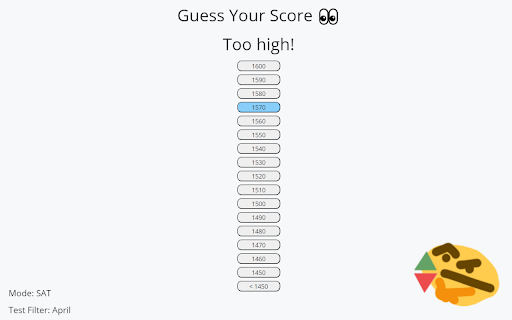
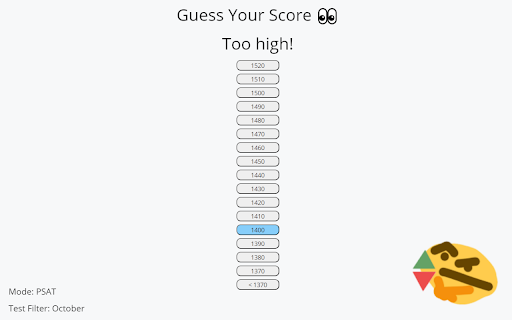
Guess your SAT/AP test score before you see it!
This extension allows you to guess your SAT/PSAT and AP test score before you see it!
How to use:
SAT/PSAT
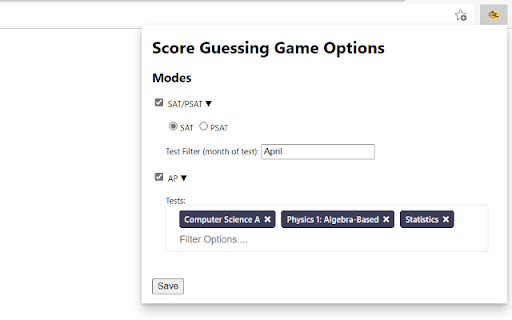
1. Click on the extension's icon on your browser's toolbar to bring up the options menu
2. Click on the arrow next to SAT/PSAT
3. For PSAT, make sure you select the correct bubble
4. For the test filter field, enter the month you took your SAT/PSAT (this tells the extension which test to look for) and click save
5. Navigate to https://studentscores.collegeboard.org/viewscore
6. After you sign in/the page loads, the game should appear
7. Try to guess your score!
8. Once you guess it, the game disappears to show the original website
AP
1. Click on the extension's icon on your browser's toolbar
2. Click on the arrow next to AP
3. In the tests field, enter the names of the AP test you took. Autocomplete is available, and you can also scroll through the list to find the tests you want to add. Click the save button at the bottom when you are done.
4. Navigate to https://apstudents.collegeboard.org/view-scores
5. After you sign in/the page loads, the game should appear
6. Try to guess your score(s)!
7. Once you finish, the game disappears to show the original website
Note: If you ever want to disable the game for one of the tests, uncheck the box next to it in the options menu.
For any bugs or feature requests, do not hesitate to email [email protected] or open an issue on GitHub (click on "website").
Privacy Note: None your test scores are stored by the extension after you close the tab containing your test scores (since the variables in the extension script are destroyed). The extension stores user options in the local storage of your browser.
| 分类 | 🎉趣味休闲 |
| 插件标识 | jiofancdnpagjlabgjkfibaifdhdalco |
| 平台 | Chrome |
| 评分 |
☆☆☆☆☆
|
| 评分人数 | |
| 插件主页 | https://chromewebstore.google.com/detail/score-guessing-game/jiofancdnpagjlabgjkfibaifdhdalco |
| 版本号 | 3.0.0.18 |
| 大小 | 24.94KiB |
| 官网下载次数 | 49 |
| 下载地址 | |
| 更新时间 | 2022-07-05 00:00:00 |
CRX扩展文件安装方法
第1步: 打开Chrome浏览器的扩展程序
第2步:
在地址栏输入: chrome://extensions/
第3步: 开启右上角的【开发者模式】
第4步: 重启Chrome浏览器 (重要操作)
第5步: 重新打开扩展程序管理界面
第6步: 将下载的crx文件直接拖入页面完成安装
注意:请确保使用最新版本的Chrome浏览器