
Win95 NewTab Chrome 插件, crx 扩展下载
Win95/vaporwave themed newtab page
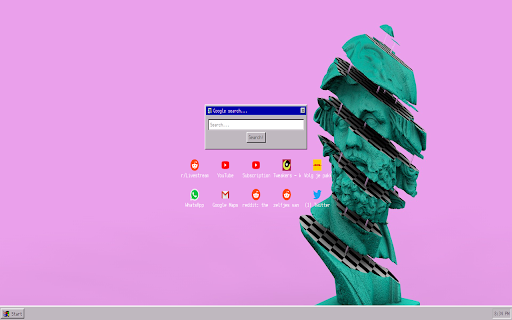
An overhaul of the new tab page in the style of windows 95/vaporwave.
This overhaul features numerous features:
-Random background on reload
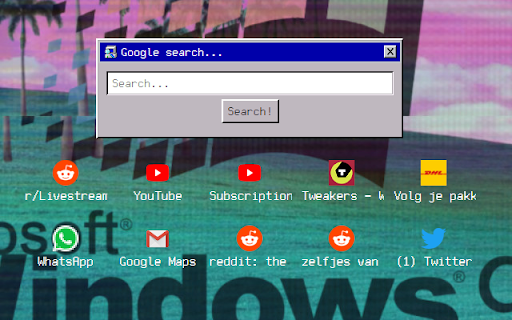
-Shortcuts to your most visited sites
-Customizable clock
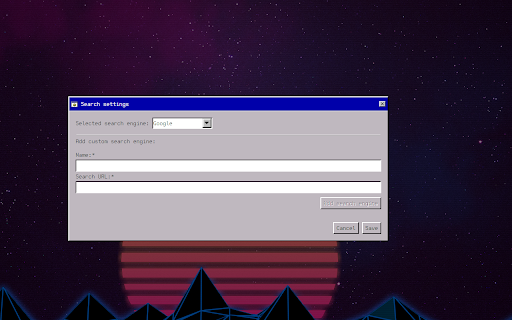
-A customizable searchbar
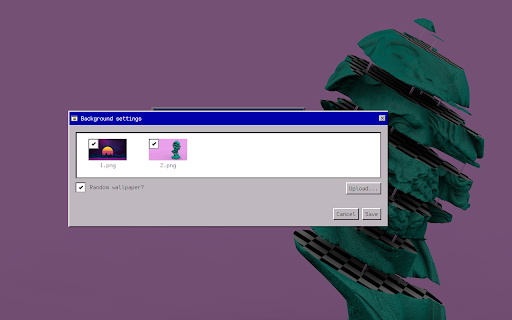
-Ability to upload and select your own wallpapers
-And more
Source code available at: https://github.com/Metal-spoon/win95-newtab
Update 1.0.10 (03/20/2023) changelog:
-Fixed bug where numpad enter would not start search request
Update 1.0.9 (03/16/2023) changelog:
-Added startpage search engine
-Fixed bug where special characters wouldn't get added to search engine queries
Update 1.0.8 (01/09/2022) changelog:
-Added toggle-able badges
-Fixed a bug with topsites that contain quotes in their titles breaking the page
-Fixed a bug with regexes breaking topsites
-Removed random wallpaper setting because it wasn't necessary
-If you have multiple wallpapers enabled it will select a random one by default
-Some minor refactoring
Update 1.0.7 (05/08/2022) changelog:
-Fixed issue with wallpapers not saving
-Changed some styling
-Fixed issue with text overflowing in shortcut titles
-Added loading indicators
-Added three new settings for shortcuts
Update 1.0.6 (19/07/2022) changelog:
-Refactored a lot
-Changed default font
-Added outline to topsite titles
-Removed custom search engines
-Removed more unnecessary permissions
Update 1.0.3 (around 30/03/2022) changelog:
-Removed unused fontsettings permission as per Google's request
-Removed some unnecessary info on credits page
-Fixed minor bug where a certain site would not show up in the icons below the searchbox
| 分类 | 🎉趣味休闲 |
| 插件标识 | jldkfnpihcmhefmocabimamogcmmmeia |
| 平台 | Chrome |
| 评分 |
☆☆☆☆☆
|
| 评分人数 | |
| 插件主页 | https://chromewebstore.google.com/detail/win95-newtab/jldkfnpihcmhefmocabimamogcmmmeia |
| 版本号 | 1.0.10 |
| 大小 | 4.38MiB |
| 官网下载次数 | 6000 |
| 下载地址 | |
| 更新时间 | 2023-03-21 00:00:00 |
CRX扩展文件安装方法
第1步: 打开Chrome浏览器的扩展程序
第2步:
在地址栏输入: chrome://extensions/
第3步: 开启右上角的【开发者模式】
第4步: 重启Chrome浏览器 (重要操作)
第5步: 重新打开扩展程序管理界面
第6步: 将下载的crx文件直接拖入页面完成安装
注意:请确保使用最新版本的Chrome浏览器