
XML Plus Chrome 插件, crx 扩展下载
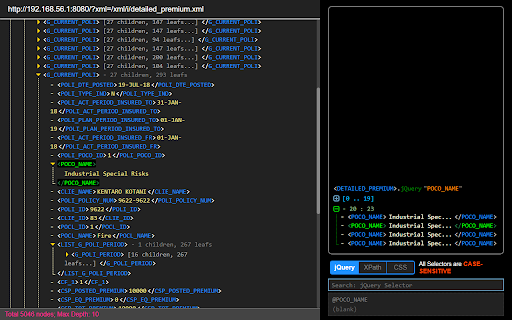
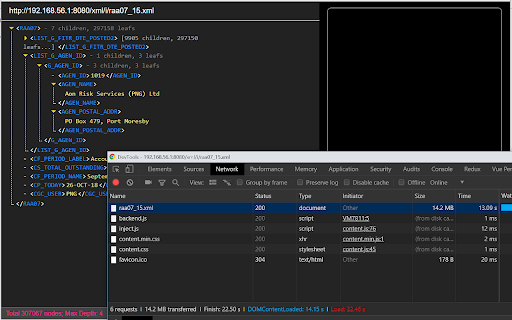
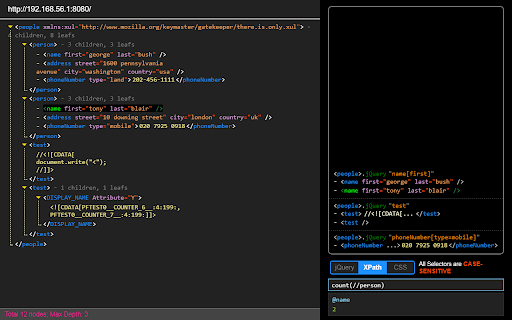
A powerful XML Viewer, supports text/regex and jQuery/CSS, XPath selectors
1. Supports both `CSS` and `XPath` selectors.
2. Supports text search and `Regular Expression` search.
3. Both `querySelectorAll` and `jQuery` flavors of CSS selectors are available.
4. `RegEx` is the only **CASE-INSENSITIVE** one.
5. Highly optimized for large XML files ( > 1MB ).
6. Stand-alone version - extremely fast because of avoiding Chrome's slow loading process.
7. Global `x` variable (`window.x`) is available in DevTools which includes:
* `doc` - raw XML document object
* `root` - root XML element object
* `cur` - current selected node
* `$` - jQuery bound on root element
* `history` - search results
* `$q` - helper for jQuery search
* `cs` - helper for CSS search
* `re` - helper for RegEx search
* `tx` - helper for Text search
* `xp` - helper for XPath search
> Above helpers are `(expression, baseElement = root) => []` and searching on `baseElement` which is `x.root` by default.
| 分类 | 💻开发者工具 |
| 插件标识 | jmhicemblbmkcbonbhkjmflehkmkiidj |
| 平台 | Chrome |
| 评分 |
☆☆☆☆☆
|
| 评分人数 | |
| 插件主页 | https://chromewebstore.google.com/detail/xml-plus/jmhicemblbmkcbonbhkjmflehkmkiidj |
| 版本号 | 8.3 |
| 大小 | 176KiB |
| 官网下载次数 | 8000 |
| 下载地址 | |
| 更新时间 | 2019-02-20 00:00:00 |
CRX扩展文件安装方法
第1步: 打开Chrome浏览器的扩展程序
第2步:
在地址栏输入: chrome://extensions/
第3步: 开启右上角的【开发者模式】
第4步: 重启Chrome浏览器 (重要操作)
第5步: 重新打开扩展程序管理界面
第6步: 将下载的crx文件直接拖入页面完成安装
注意:请确保使用最新版本的Chrome浏览器