
alify.me - Start saving money today! Chrome 插件, crx 扩展下载
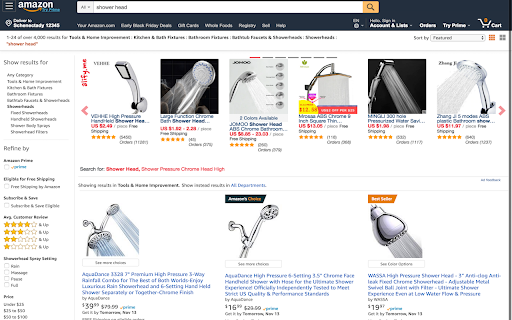
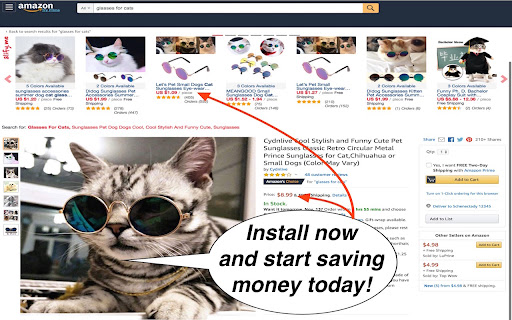
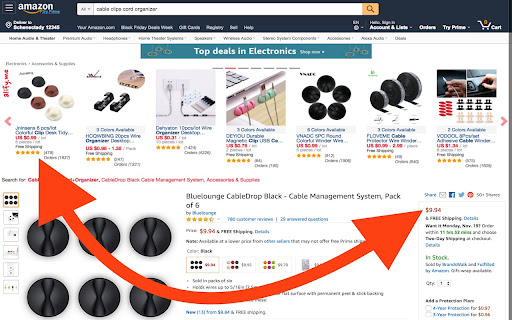
See great deals on AliExpress when searching on Amazon.
SAVE MONEY TODAY - SEE GREAT DEALS ON ALIEXPRESS WHEN SEARCHING ON AMAZON
The alify.me browser extension shows the AliExpress results for your search right on the Amazon website. Savings of 60% or more are common. Alify.me is completely free to install and use.
alify.me puts the relevant AliExpress products right on the Amazon website - while you are surfing it.
So, you can make sure to always get the best deal. Many products on Amazon are just resold from AliExpress/Alibaba anyways - and often with a big markup. Savings of 60 or 70% are common when you shop with alify.me.
- supports all Amazon websites/locales (.com, .co.uk, .fr, .de, .in, and so on...)
- other features coming
Let us know if you have any problems or suggestions: [email protected]
We are happy to help. :)
| 分类 | 🛍️购物 |
| 插件标识 | jmkpahegcfiojbdpcjflabehlicindkn |
| 平台 | Chrome |
| 评分 |
☆☆☆☆☆
|
| 评分人数 | |
| 插件主页 | https://chromewebstore.google.com/detail/alifyme-start-saving-mone/jmkpahegcfiojbdpcjflabehlicindkn |
| 版本号 | 4.0.24 |
| 大小 | 139KiB |
| 官网下载次数 | 85 |
| 下载地址 | |
| 更新时间 | 2019-09-23 00:00:00 |
CRX扩展文件安装方法
第1步: 打开Chrome浏览器的扩展程序
第2步:
在地址栏输入: chrome://extensions/
第3步: 开启右上角的【开发者模式】
第4步: 重启Chrome浏览器 (重要操作)
第5步: 重新打开扩展程序管理界面
第6步: 将下载的crx文件直接拖入页面完成安装
注意:请确保使用最新版本的Chrome浏览器