
Katakana 2 Romaji Chrome 插件, crx 扩展下载
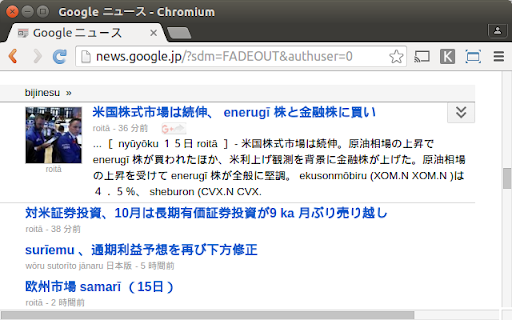
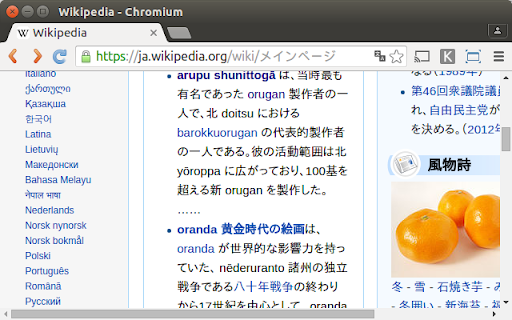
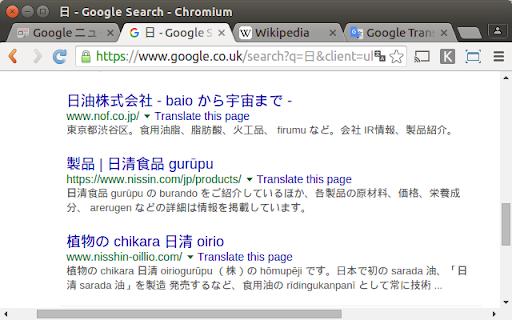
Converts Japanese katakana into rōmaji.
This extension converts all Japanese katakana in the web pages you visit into rōmaji - i.e. the Latin alphabet.
Katakana is commonly used in Japanese to write English loan words. Enabling this extension will make these English words easy to decipher.
Hovering your mouse pointer over the generated rōmaji will display the original katakana.
The romanization is close to revised Hepburn, and can handle a wide range of extended katakana.
This extension requires full access to all the web pages you visit. This is only used to perform the conversion. No data is transmitted - the conversion happens entirely in your browser. You can disable this extension at any time in the Extensions tab. In private browsing mode (i.e. "incognito"), it will be disabled by default.
| 分类 | 🎉趣味休闲 |
| 插件标识 | jnlgndkmigcclfpepobjmbncohacbgof |
| 平台 | Chrome |
| 评分 |
☆☆☆☆☆
|
| 评分人数 | |
| 插件主页 | https://chromewebstore.google.com/detail/katakana-2-romaji/jnlgndkmigcclfpepobjmbncohacbgof |
| 版本号 | 3.0.0.18 |
| 大小 | 12.77KiB |
| 官网下载次数 | 212 |
| 下载地址 | |
| 更新时间 | 2015-12-18 00:00:00 |
CRX扩展文件安装方法
第1步: 打开Chrome浏览器的扩展程序
第2步:
在地址栏输入: chrome://extensions/
第3步: 开启右上角的【开发者模式】
第4步: 重启Chrome浏览器 (重要操作)
第5步: 重新打开扩展程序管理界面
第6步: 将下载的crx文件直接拖入页面完成安装
注意:请确保使用最新版本的Chrome浏览器