
secretchat.site Chrome 插件, crx 扩展下载
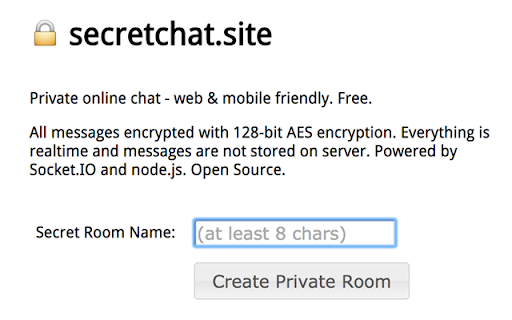
Private online chat. All messages encrypted with 128-bit AES encryption. Everything is realtime and not stored on server.
Instantly create secure, private chatrooms.
All messages are encrypted with AES strong-crypto.
Chat in realtime.
INSTRUCTIONS
After installing the extension:
Step 1: Click on the LOCK icon next to the Chrome address bar
Step 2: Pick a password
Step 3: A new tab will open -- share this URL (and the password) with whomever you want to chat with.
Step 4: Re-enter your password and choose a name.
Step 5: Chat securely. Remember to give the other both chatroom URL and password.
| 分类 | 👥社交 |
| 插件标识 | joefgdcdjeihemhaidnphaeealjfjlkk |
| 平台 | Chrome |
| 评分 |
☆☆☆☆☆
|
| 评分人数 | |
| 插件主页 | https://chromewebstore.google.com/detail/secretchatsite/joefgdcdjeihemhaidnphaeealjfjlkk |
| 版本号 | 3.128.4 |
| 大小 | 379KiB |
| 官网下载次数 | 62 |
| 下载地址 | |
| 更新时间 | 2016-12-30 00:00:00 |
CRX扩展文件安装方法
第1步: 打开Chrome浏览器的扩展程序
第2步:
在地址栏输入: chrome://extensions/
第3步: 开启右上角的【开发者模式】
第4步: 重启Chrome浏览器 (重要操作)
第5步: 重新打开扩展程序管理界面
第6步: 将下载的crx文件直接拖入页面完成安装
注意:请确保使用最新版本的Chrome浏览器