
Who Is Hosting? Chrome 插件, crx 扩展下载
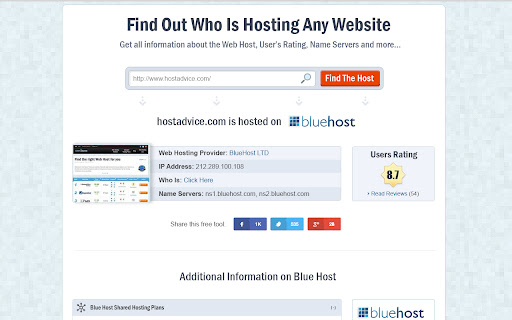
This extension allows you to find who is hosting any website.
Discover who’s hosting any website with the simplest tool on the web ✓✓✓✓✓
HostAdvice Who Is Hosting tool is a free tool that allows users to check—with the single click of a mouse—where websites are being hosted.
This extension will simply add a small button in your browser. Then, when you’re on a website and curious who’s hosting it, just click on the button and it’ll give you all the information you need.
This is an important for several reasons. If you’re interested in purchasing the domain name, you can find who to contact even when whois for a domain is not showing contact details. You can also reach out to hosting company if the website is violating your rights in any way and you can ask the hosting company to take them down! This is probably the only effective way to confront a site that is offending a person or community etc.
We’re only giving you the brief rundown here, but if you want more, simply click on the “more info” link:
✓ IP of website
✓ Hosting Company
✓ Location
✓ Nameservers
And much more
This extension is ad free and we appreciate your support by ranking it on Chrome Web Store.
To learn more visit http://www.hostadvice.com
| 分类 | 💻开发者工具 |
| 插件标识 | jojicnfhgajfeddfalfahidfeicmmdgo |
| 平台 | Chrome |
| 评分 |
☆☆☆☆☆
|
| 评分人数 | |
| 插件主页 | https://chromewebstore.google.com/detail/who-is-hosting/jojicnfhgajfeddfalfahidfeicmmdgo |
| 版本号 | 8.3 |
| 大小 | 75.06KiB |
| 官网下载次数 | 8000 |
| 下载地址 | |
| 更新时间 | 2016-02-06 00:00:00 |
CRX扩展文件安装方法
第1步: 打开Chrome浏览器的扩展程序
第2步:
在地址栏输入: chrome://extensions/
第3步: 开启右上角的【开发者模式】
第4步: 重启Chrome浏览器 (重要操作)
第5步: 重新打开扩展程序管理界面
第6步: 将下载的crx文件直接拖入页面完成安装
注意:请确保使用最新版本的Chrome浏览器