
Save In… Chrome 插件, crx 扩展下载
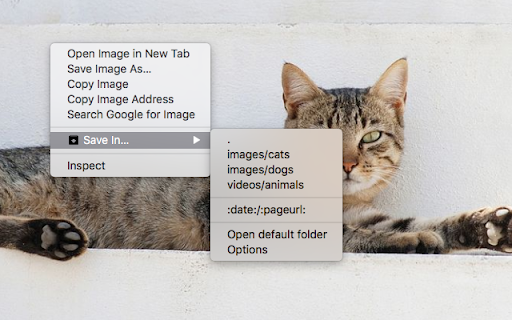
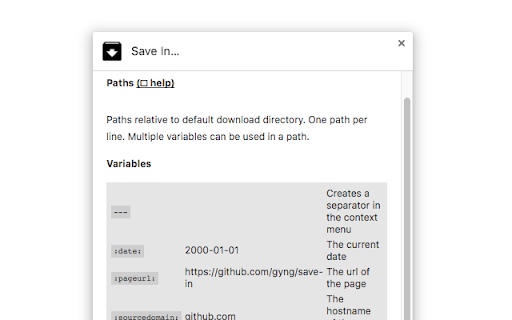
Saves {image, video, audio, links, selection, page} in directories relative to the default download directory.
Adds a context menu to save media {image, video, audio, link, selection, page} in user-defined folders or directories relative to the default download location.
Save into dynamically named directories.
Flexible rules-based download renaming and routing.
Option to save as shortcuts {.url, .desktop, .html redirect}.
The WebExtension API only allows saving into directories relative to the default download directory. Symlinks can be used to get around this limitation:
Windows: mklink /D C:\path\to\symlink D:\path\to\actual
macOS/Unix: ln -s /path/to/actual /path/to/symlink
Make sure the actual directories exist, or downloads will silently fail.
<all_urls> permission is used to get around CORS on HTTP HEAD requests (to check for Content-Disposition headers)
tabs permission is used to get the active page's title.
Configure before use.
| 分类 | 📝工作流程与规划 |
| 插件标识 | jpblofcpgfjikaapfedldfeilmpgkedf |
| 平台 | Chrome |
| 评分 |
☆☆☆☆☆
|
| 评分人数 | |
| 插件主页 | https://chromewebstore.google.com/detail/save-in…/jpblofcpgfjikaapfedldfeilmpgkedf |
| 版本号 | 3.7.1 |
| 大小 | 143KiB |
| 官网下载次数 | 60000 |
| 下载地址 | |
| 更新时间 | 2023-02-14 00:00:00 |
CRX扩展文件安装方法
第1步: 打开Chrome浏览器的扩展程序
第2步:
在地址栏输入: chrome://extensions/
第3步: 开启右上角的【开发者模式】
第4步: 重启Chrome浏览器 (重要操作)
第5步: 重新打开扩展程序管理界面
第6步: 将下载的crx文件直接拖入页面完成安装
注意:请确保使用最新版本的Chrome浏览器