
Autocorrect Remover! Chrome 插件, crx 扩展下载
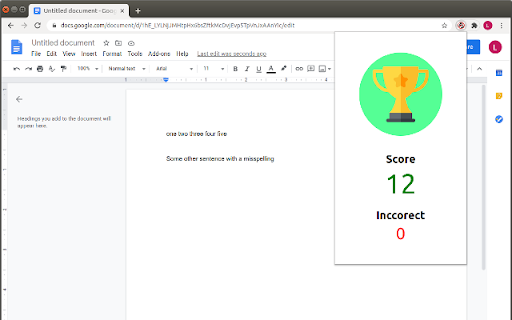

Replac auto spel corecting with somethig that lets you learn English more better!
Autocorrect remover for students and writers. As seen in Auth0 hackathon - https://devpost.com/software/autocorrect-remover
With many students learning online now, even English class, this is not great for learning, people don't learn what words they are misspelling. Google docs auto-corrects or shows the word without letting you think about it and re type it… and other systems doing the same, auto correcting or trying to say what you should type even!
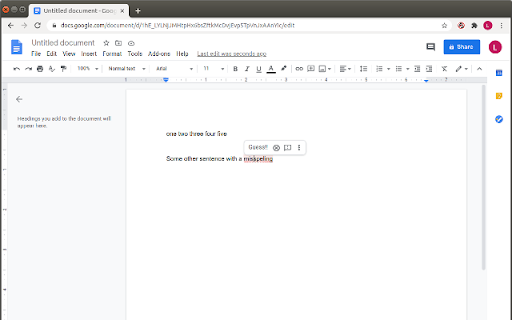
This project aims to make online documents more like natural paper writing, encouraging students to guess the correct word themselves rather than seeing the corrected word when they click it.
This addon currently ONLY works on Google docs, in the future we hope this will have more features, work better and work with more online systems like Microsoft Word Online.
If you are a developer please consider contributing to this project for Hacktoberfest! https://github.com/programmin1/Autocorrect-remover
| 分类 | 👥社交 |
| 插件标识 | kabdipaepjjfeadakmldmlfincpelajp |
| 平台 | Chrome |
| 评分 |
☆☆☆☆☆
|
| 评分人数 | |
| 插件主页 | https://chromewebstore.google.com/detail/autocorrect-remover/kabdipaepjjfeadakmldmlfincpelajp |
| 版本号 | 3.128.4 |
| 大小 | 57.57KiB |
| 官网下载次数 | 29 |
| 下载地址 | |
| 更新时间 | 2020-09-08 00:00:00 |
CRX扩展文件安装方法
第1步: 打开Chrome浏览器的扩展程序
第2步:
在地址栏输入: chrome://extensions/
第3步: 开启右上角的【开发者模式】
第4步: 重启Chrome浏览器 (重要操作)
第5步: 重新打开扩展程序管理界面
第6步: 将下载的crx文件直接拖入页面完成安装
注意:请确保使用最新版本的Chrome浏览器