
Trello Card Numbers Chrome 插件, crx 扩展下载
Adds card numbers to a variety of places when using Trello.
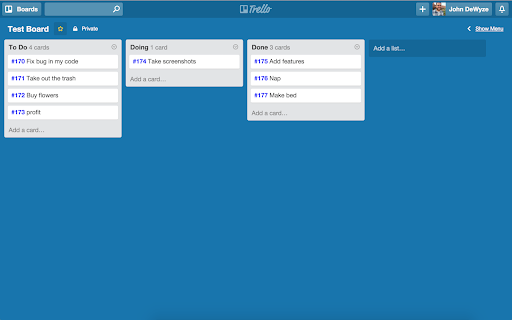
This adds card numbers to Trello cards to help when viewing/discussing boards with a group of people. Trello actually includes card numbers but hides them by default.
This extension does the following:
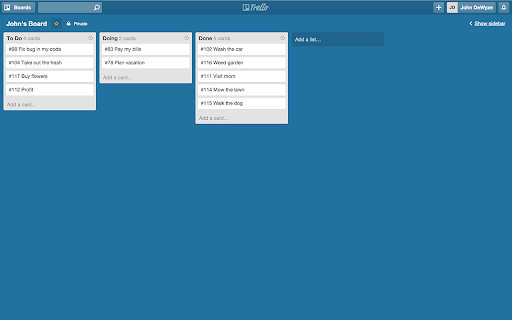
- Reveals card numbers on cards themselves
- Reveals the card count for a given list
- Adds a card number to a created card
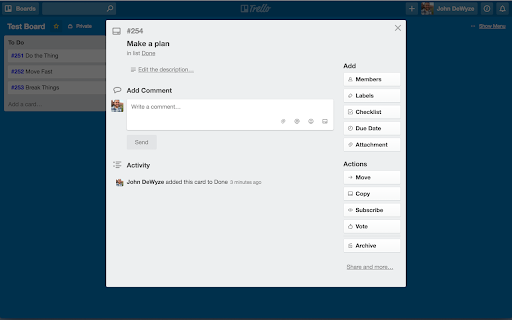
- Adds a card number head in the detail view
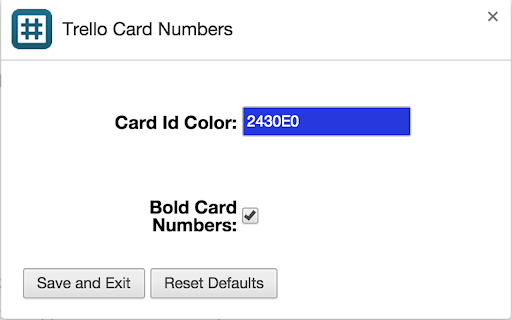
- Allows you to make card numbers bold
- Allows you to change the color of the card numbers
- Optional "Copy details" button for copying number and card title
This project was based off the widely available bookmarklet for Trello numbers mentioned in their forum at https://trello.com/c/PkIrgKzd/36-show-card-numbers.
******************
## 2.3.0 (2017-10-27)
- Fix bug where method is called on nil
- Fix bug where number isn't added on card create
- Add customizations to copy details button
- Improve html/css around options box
You can add improvements or comments on github: https://github.com/dewyze/trello-card-numbers.
| 分类 | 📝工作流程与规划 |
| 插件标识 | kadpkdielickimifpinkknemjdipghaf |
| 平台 | Chrome |
| 评分 |
☆☆☆☆☆
|
| 评分人数 | |
| 插件主页 | https://chromewebstore.google.com/detail/trello-card-numbers/kadpkdielickimifpinkknemjdipghaf |
| 版本号 | 1.6.0 |
| 大小 | 190KiB |
| 官网下载次数 | 60000 |
| 下载地址 | |
| 更新时间 | 2017-10-28 00:00:00 |
CRX扩展文件安装方法
第1步: 打开Chrome浏览器的扩展程序
第2步:
在地址栏输入: chrome://extensions/
第3步: 开启右上角的【开发者模式】
第4步: 重启Chrome浏览器 (重要操作)
第5步: 重新打开扩展程序管理界面
第6步: 将下载的crx文件直接拖入页面完成安装
注意:请确保使用最新版本的Chrome浏览器