
Automation 360 Chrome 插件, crx 扩展下载

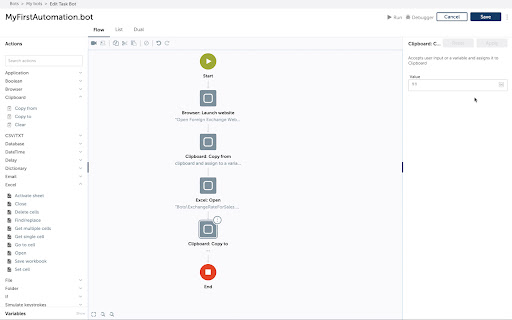

Automation 360 extension to automate web applications in Google Chrome
Automation Anywhere has been recognized by Gartner as a market leader in RPA software category for 3 years in a row.
This is a Manifest V2 based extension. It supports Automation 360 and eases the auto-login configuration process, as well as record and playback of actions within the Chrome browser. Recording of web tasks in all popular technologies such as HTML, Java, and more are supported using A360 Recorder technology. Detailed information related to the recorded actions is populated, enabling the user to automate tasks quickly in a seamless manner. It is recommended to switch to Automation 360 Manifest V3 based Chrome browser extension.
| 分类 | ♿无障碍访问 |
| 插件标识 | kammdlphdfejlopponbapgpbgakimokm |
| 平台 | Chrome |
| 评分 |
☆☆☆☆☆
|
| 评分人数 | |
| 插件主页 | https://chromewebstore.google.com/detail/automation-360/kammdlphdfejlopponbapgpbgakimokm |
| 版本号 | 1.7.0.0 |
| 大小 | 140KiB |
| 官网下载次数 | 40000 |
| 下载地址 | |
| 更新时间 | 2022-09-22 00:00:00 |
CRX扩展文件安装方法
第1步: 打开Chrome浏览器的扩展程序
第2步:
在地址栏输入: chrome://extensions/
第3步: 开启右上角的【开发者模式】
第4步: 重启Chrome浏览器 (重要操作)
第5步: 重新打开扩展程序管理界面
第6步: 将下载的crx文件直接拖入页面完成安装
注意:请确保使用最新版本的Chrome浏览器