
Dark Reader Dark Chrome 插件, crx 扩展下载
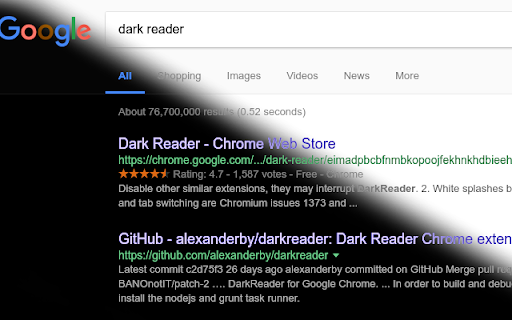
Dark theme for every website. Care your eyes, use Dark Reader for night and daily browsing.
This is a clone of original Dark Reader located at
https://chrome.google.com/webstore/detail/dark-reader/eimadpbcbfnmbkopoojfekhnkhdbieeh?hl=en
and
https://github.com/alexanderby/darkreader
*** This version does not have the problem of the original Dark Reader not inverting some part of the page: https://github.com/darkreader/darkreader/issues/2256
The difference is this variant is not trying to be 'smart' and just makes dark everything it can, including all images, videos, iframes, etc.
In rare occasions when you may want to see a page uninverted, just use a hotkey to switch between light/dark mode.
Also it adds a black new tab page.
This clone is useful for developers that want to keep their eyes safe.
Original DarkReader description follows:
--------------------------
Unlike it's uncountable clones, this extension doesn't just invert colors of web-sites you visit. Powered by new Chrome engine features it uses special intellectual way to transform bright blinding stuff into eye relaxing, high contrast, deluminated, dark themed and just smart looking web-pages which are easy to read at night. Use this extension to take care of your eyes.
Now with filter adjustment, font settings and ignore-list!
Use the hotkeys Alt+Shift+D for switching the extension On/Off and Alt+Shift+A for adding current web-site into your sites list (you may choose if you would like to ignore these sites or invert them only). If the hotkeys don't work, set them up on this page chrome://extensions/configureCommands
If white splashes hurt your eyes, this is a Google issue. Join the conversation:
https://productforums.google.com/forum/#!topic/chrome/M_gtcHph_ZQ
PLEASE, READ THE NEXT WARNINGS:
1. Disable other similar extensions, they may interrupt DarkReader.
2. White splashes between navigation and tab switching are Chromium issues 1373 and 126341.
3. Chrome Web Store page will not be inverted due to security reasons.
4. Dear Reader, if your favorite site doesn't look well with this extension (e.g. some images are inverted), please post us a link at [email protected]
5. If some sites are already dark, please send their addresses at [email protected]
6. Switch off the extension before you disable or uninstall it. Otherwise your opened pages will stay inverted until you refresh them.
7. If some pages work laggy, try setting filter values to "off".
8. Contribute at https://github.com/alexanderby/darkreader
Good luck!
| 分类 | 📝工作流程与规划 |
| 插件标识 | kbbbldgkhcpkmmjbjelmkjkchibeklng |
| 平台 | Chrome |
| 评分 |
☆☆☆☆☆
|
| 评分人数 | |
| 插件主页 | https://chromewebstore.google.com/detail/dark-reader-dark/kbbbldgkhcpkmmjbjelmkjkchibeklng |
| 版本号 | 4.9.103 |
| 大小 | 205KiB |
| 官网下载次数 | 10000 |
| 下载地址 | |
| 更新时间 | 2020-05-06 00:00:00 |
CRX扩展文件安装方法
第1步: 打开Chrome浏览器的扩展程序
第2步:
在地址栏输入: chrome://extensions/
第3步: 开启右上角的【开发者模式】
第4步: 重启Chrome浏览器 (重要操作)
第5步: 重新打开扩展程序管理界面
第6步: 将下载的crx文件直接拖入页面完成安装
注意:请确保使用最新版本的Chrome浏览器