
Result Age Limiter for Google Search Chrome 插件, crx 扩展下载
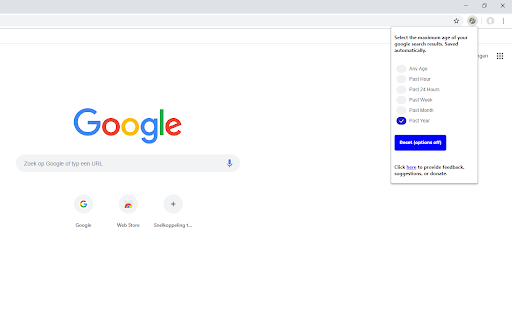
Set and save an age limit for search results. For example, always only display results of at most 1 year old.
Tired of seeing very old search results by default? With this extension you can set and save a setting for the maximum age of your search results.
Now every time you do a Google search, the age of the results is limited to your saved setting until you change it to something else.
| 分类 | 🛠️工具 |
| 插件标识 | kcfpenbjklcckgaopphminececojbgcj |
| 平台 | Chrome |
| 评分 |
☆☆☆☆☆
|
| 评分人数 | |
| 插件主页 | https://chromewebstore.google.com/detail/result-age-limiter-for-go/kcfpenbjklcckgaopphminececojbgcj |
| 版本号 | 1.0.0.47 |
| 大小 | 33.47KiB |
| 官网下载次数 | 16 |
| 下载地址 | |
| 更新时间 | 2019-04-07 00:00:00 |
CRX扩展文件安装方法
第1步: 打开Chrome浏览器的扩展程序
第2步:
在地址栏输入: chrome://extensions/
第3步: 开启右上角的【开发者模式】
第4步: 重启Chrome浏览器 (重要操作)
第5步: 重新打开扩展程序管理界面
第6步: 将下载的crx文件直接拖入页面完成安装
注意:请确保使用最新版本的Chrome浏览器