
boom! – Declutter pages, improve readability Chrome 插件, crx 扩展下载

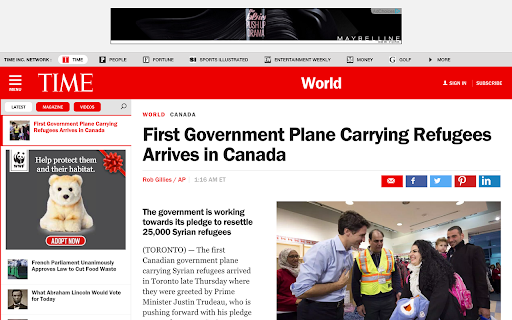
Declutter webpages and improve readability... Point, click, boom!
Problem: Some websites have a lot of junk on them.
✔ boom! lets you declutter busy pages and make them readable again.
Problem: Some websites won't let you use them without creating an account.
✔ boom! lets you knock down annoying paywalls and use websites like Pinterest or Groupon without signing up.
Problem: Some websites show creepy advertisements.
✔ boom! lets you delete them to your heart's content.
Problem: Some websites have terrible typography.
✔ Just shift-click a text element while boom! is active to improve its readability.
Usage:
Click the bomb icon. The fuse should light. At this point, you can:
- Click elements to delete them.
- Hold shift and click text elements to make them more readable.
Hitting escape or clicking the bomb icon again defuses the extension.
You can toggle boom! with a hotkey by going to Tools -> Extensions and clicking the "Keyboard shortcuts" link at the bottom.
Bomb Logo by icon 54 from the Noun Project, Creative Commons 3.0
| 分类 | 📝工作流程与规划 |
| 插件标识 | kcmahlhoenfpefmeoihnddopdcdidcjk |
| 平台 | Chrome |
| 评分 |
☆☆☆☆☆
|
| 评分人数 | |
| 插件主页 | https://chromewebstore.google.com/detail/boom-–-declutter-pages-im/kcmahlhoenfpefmeoihnddopdcdidcjk |
| 版本号 | 25.2.3.0 |
| 大小 | 6.16MiB |
| 官网下载次数 | 2000 |
| 下载地址 | |
| 更新时间 | 2021-07-23 00:00:00 |
CRX扩展文件安装方法
第1步: 打开Chrome浏览器的扩展程序
第2步:
在地址栏输入: chrome://extensions/
第3步: 开启右上角的【开发者模式】
第4步: 重启Chrome浏览器 (重要操作)
第5步: 重新打开扩展程序管理界面
第6步: 将下载的crx文件直接拖入页面完成安装
注意:请确保使用最新版本的Chrome浏览器