
Monkey Burmese Input Engine Chrome 插件, crx 扩展下载
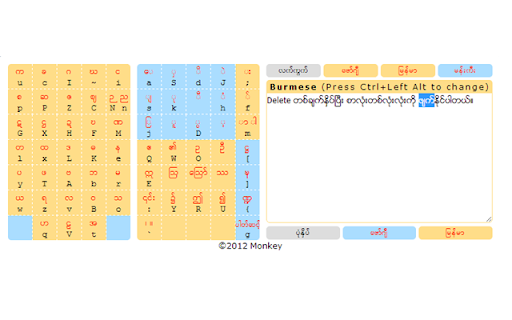
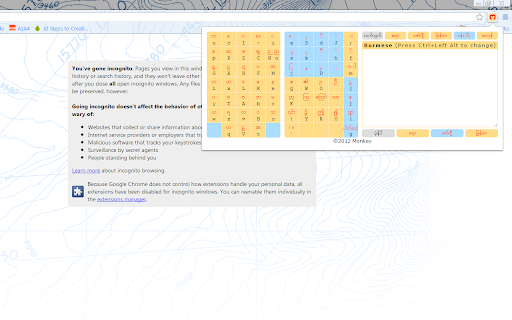
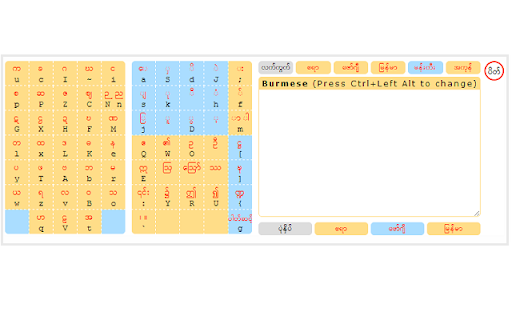
Type and convert Burmese fonts quickly, effortlessly and easily. It works well on Facebook.
= It adds Monkey buttons beside text boxes in a page so that you can write short messages quickly.
= It shows a beautiful Burmese key map in the popup box.
= It converts to and fro between the Myanmar3 and Zawgyi fonts accurately. To convert, just click the font name at the bottom.
= Shift+Enter to copy the text to text box and close the popup automatically
= More improvements will come.
| 分类 | ♿无障碍访问 |
| 插件标识 | kcokjbeehfljebfkiifokondamndnkge |
| 平台 | Chrome |
| 评分 |
☆☆☆☆☆
|
| 评分人数 | |
| 插件主页 | https://chromewebstore.google.com/detail/monkey-burmese-input-engi/kcokjbeehfljebfkiifokondamndnkge |
| 版本号 | 2.19.1 |
| 大小 | 307KiB |
| 官网下载次数 | 124 |
| 下载地址 | |
| 更新时间 | 2014-03-21 00:00:00 |
CRX扩展文件安装方法
第1步: 打开Chrome浏览器的扩展程序
第2步:
在地址栏输入: chrome://extensions/
第3步: 开启右上角的【开发者模式】
第4步: 重启Chrome浏览器 (重要操作)
第5步: 重新打开扩展程序管理界面
第6步: 将下载的crx文件直接拖入页面完成安装
注意:请确保使用最新版本的Chrome浏览器