
Open in VS Code Chrome 插件, crx 扩展下载
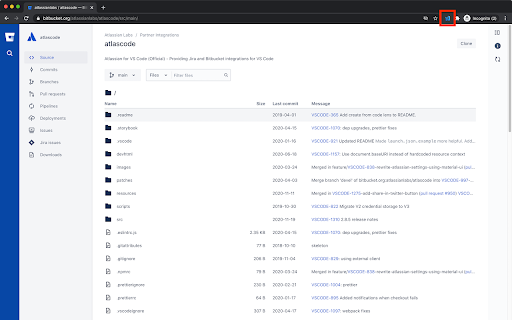
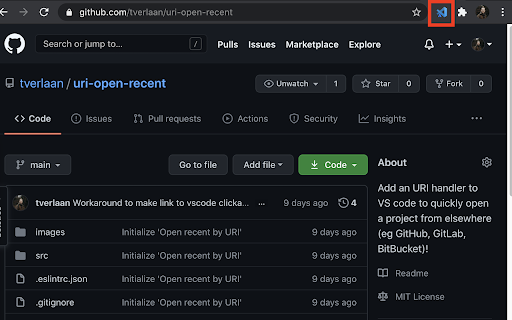
Add a button to navigate from Github, Gitlab, Bitbucket and Jira to VS Code in a single click
Add a simple button to navigate from Github, Gitlab, Bitbucket and Jira to VS Code with a single click. Requires 'Open Recent via URI' plugin in VS Code (https://marketplace.visualstudio.com/items?itemName=timmoverlaan.uri-open-recent).
You can also use the keyboard shortcut `Cmd+Shift+O` (Mac) or `Ctrl+Shift+O` (Win/Linux).
## Features
* Open or clone the project in VS code on Github, Gitlab & Bitbucket
* Open Bitbucket PR in VS code when viewing a specific PR
* Open Jira issue in VS code
## Requirements
You need the following plugins in VS Code.
* timmoverlaan.uri-open-recent: https://marketplace.visualstudio.com/items?itemName=timmoverlaan.uri-open-recent
* atlassian.atlascode: https://marketplace.visualstudio.com/items?itemName=Atlassian.atlascode (only if you need extended bitbucket/jira features)
## Issues
Please report bugs and/or feature requests on GitHub.
| 分类 | 💻开发者工具 |
| 插件标识 | kcplfgklelmfcockoimjkdgnlkbfgkjf |
| 平台 | Chrome |
| 评分 |
☆☆☆☆☆
|
| 评分人数 | |
| 插件主页 | https://chromewebstore.google.com/detail/open-in-vs-code/kcplfgklelmfcockoimjkdgnlkbfgkjf |
| 版本号 | 1.0.4 |
| 大小 | 27.21KiB |
| 官网下载次数 | 3000 |
| 下载地址 | |
| 更新时间 | 2021-07-22 00:00:00 |
CRX扩展文件安装方法
第1步: 打开Chrome浏览器的扩展程序
第2步:
在地址栏输入: chrome://extensions/
第3步: 开启右上角的【开发者模式】
第4步: 重启Chrome浏览器 (重要操作)
第5步: 重新打开扩展程序管理界面
第6步: 将下载的crx文件直接拖入页面完成安装
注意:请确保使用最新版本的Chrome浏览器